

Take proposal requests on your own website.
A board member reading your services page can ask you for a proposal without leaving it. Install steps and screens for whoever looks after your company’s website.
- What you paste
- Two lines of HTMLA div and a script, generated by your dashboard.
- Platform tabs
- 7Plus a plain web address that needs no code at all.
- Addresses per key
- 10A live site, a staging site, a few landing pages.
- Charge per request
- NonePart of every account, with no cap on requests.
What it is.
A small form, hosted by VendoRFP, that appears inside a page on your own website.
A visitor fills in their name, how to reach them, and what their community needs. You get the request in your dashboard under Settings, Website plugin, and you reply to them directly with a proposal. It is part of every account, there is no charge per request, and there is no limit on how many pages you put it on.
Room for a key
Fewer than 10 live keys of your own on your company. That is the only ceiling on getting a new one. Revoke a key you are not using and the room reopens.
An admin login
Your company’s admin login for VendoRFP. A technician login can read the requests that arrive but cannot decide which websites carry the form.
A place to paste HTML
The ability to add a block of HTML to a page on your site. Every platform below has one, and the instructions say where it is.
Get your key and register your addresses.
Three steps on one page of your dashboard.
Open the plugin page in your dashboard
Sign in and go to Settings, then Website plugin.
Type the web address your site lives at
Type it exactly as it appears in the browser bar, for example acme-lawns.com. To a browser, acme-lawns.com and www.acme-lawns.com are two different addresses, so adding one offers you the other. Add both if your site answers on both. You can register up to 10 addresses on one key, which is room for a live site, a staging site and a couple of landing pages.
Press the button and copy the key
You get a key that starts with vrfp_embed_. It is meant to be public and goes into your page’s HTML where anyone can read it. What stops somebody else using it is the list of addresses you just registered. A browser refuses to show your form on any site that is not on it.
Install it on your platform.
The snippet is the same everywhere. What changes is where you paste it, and that is what each tab covers.
<div data-vendorfp-proposal-form data-key="vrfp_embed_your_key_here"><a href="https://hoacrew.com/embed/w/vrfp_embed_your_key_here">Request a proposal</a></div>
<script src="https://hoacrew.com/embed/v1.js" async></script>One Custom HTML block on the page you want the form on. About five minutes, and you do not need a developer. This covers the block editor, the Classic editor, Elementor and Divi.
Open the page for editing
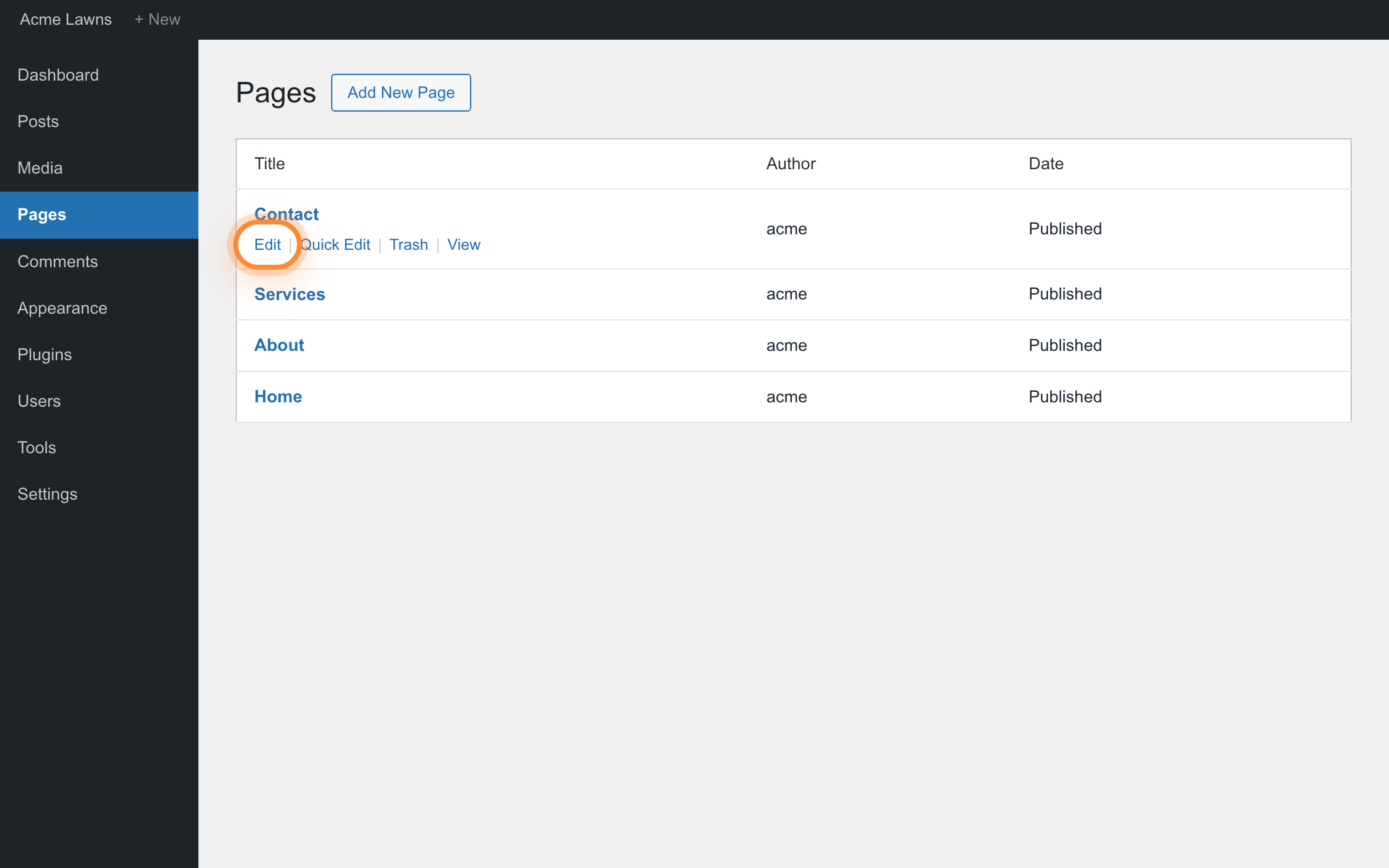
In the WordPress admin, go to Pages, find the page you want the form on, and press Edit. Your Contact or Services page is the usual choice.
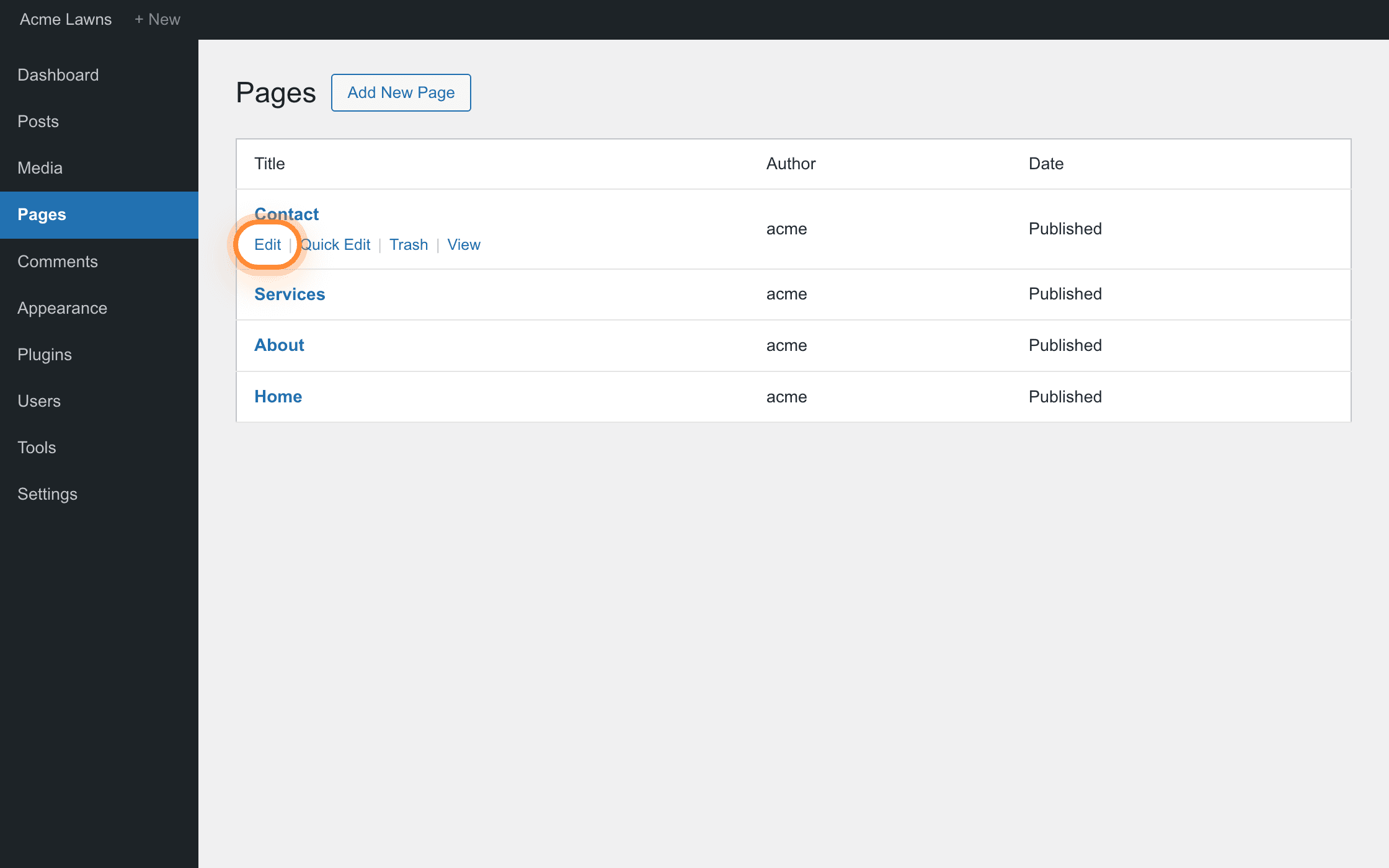
Edit sits under the page title, and only appears when the pointer is on that row. Add a Custom HTML block
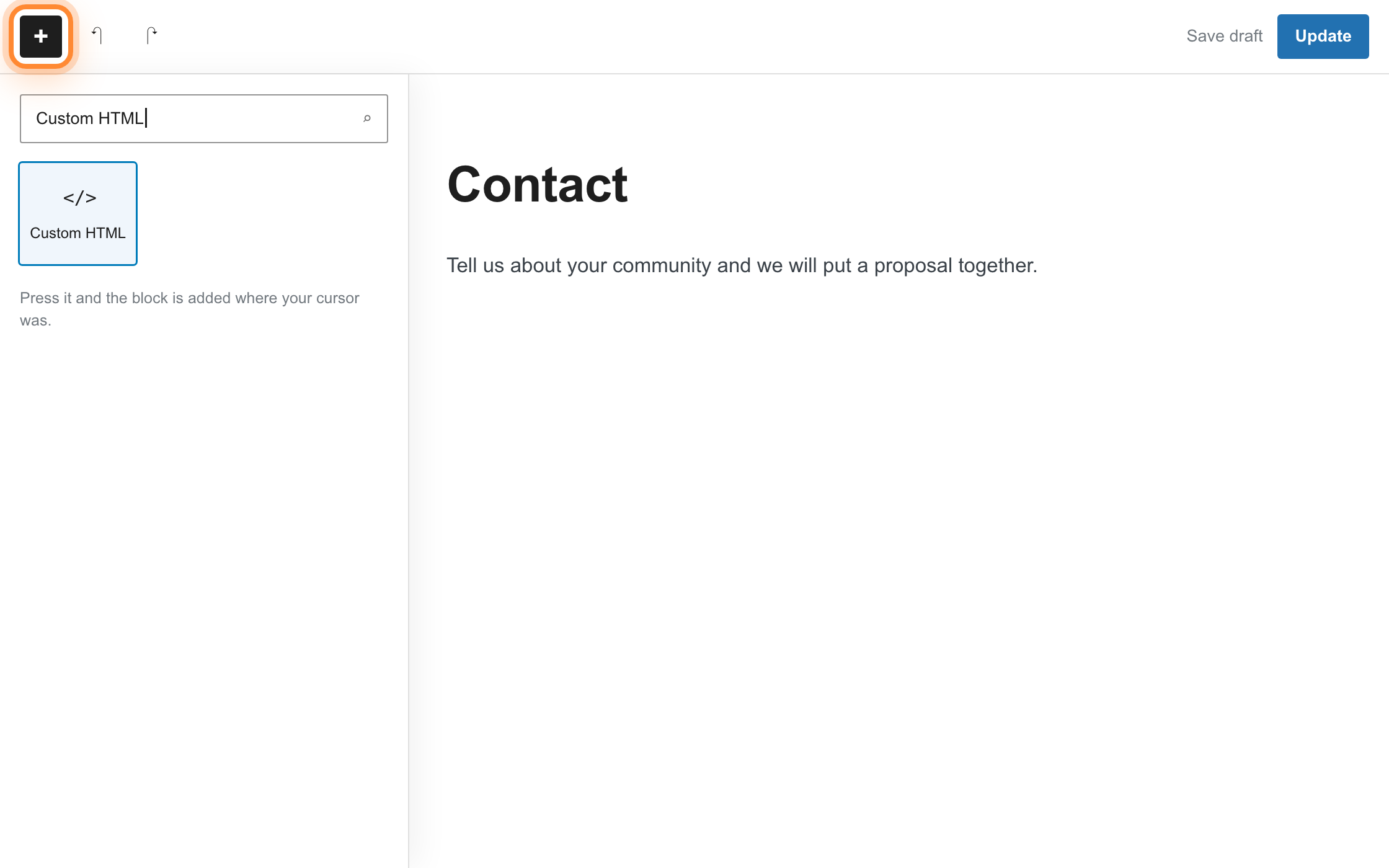
Click where you want the form to sit, press the black + button, type Custom HTML into the search box, and choose it. You get an empty box with the words Write HTML in it.
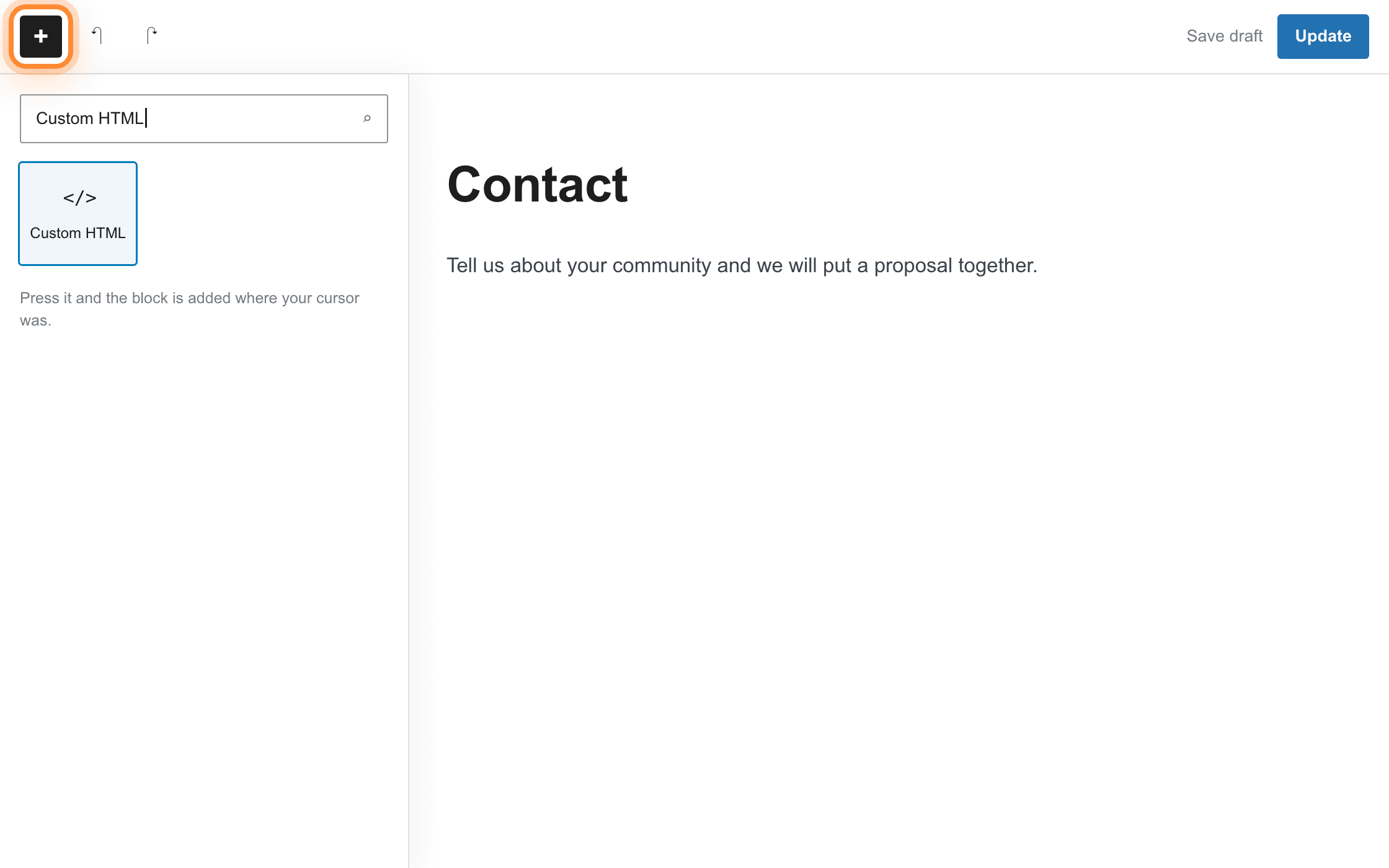
The black + is the top left corner of the editor, above the page. Paste the two lines
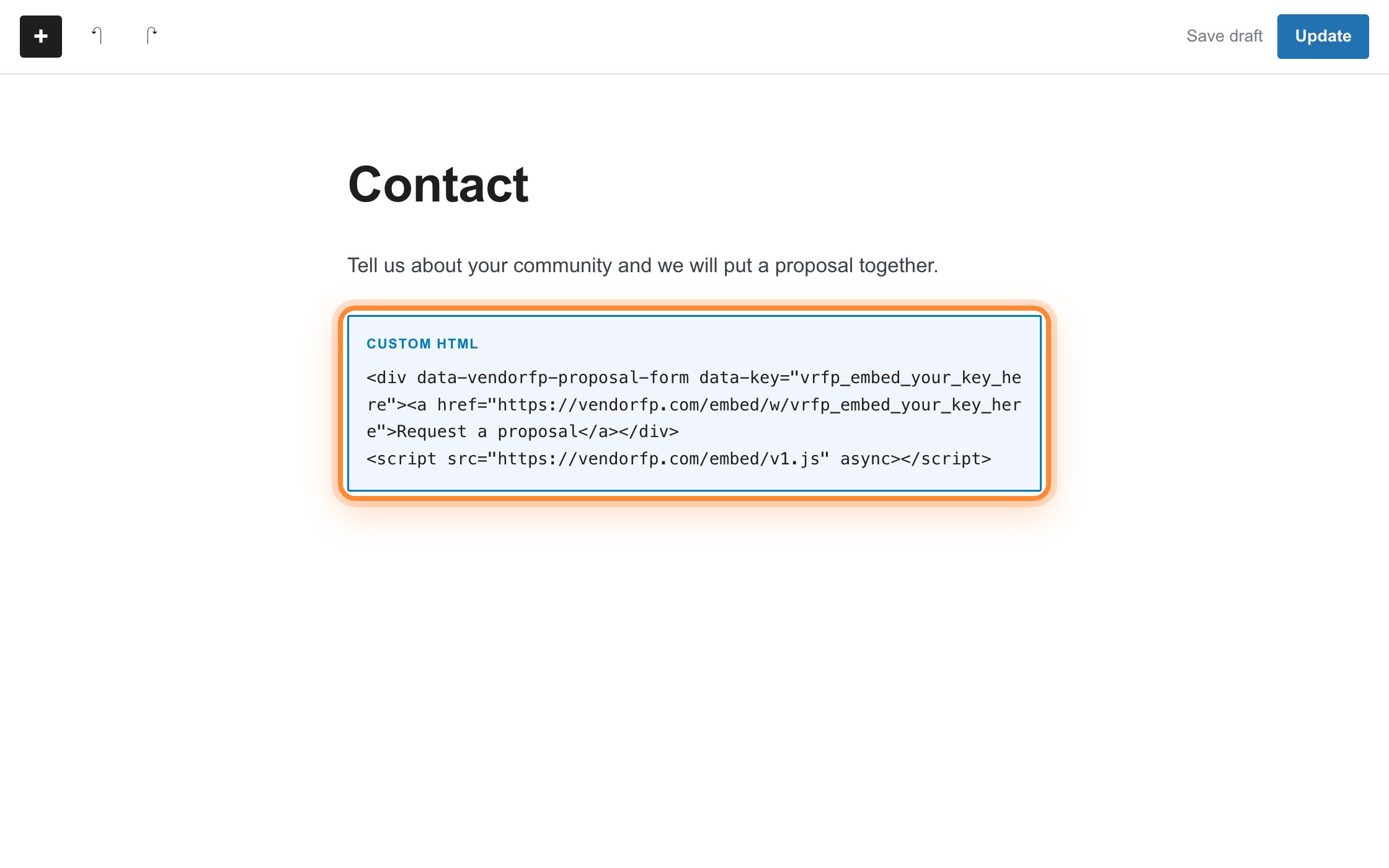
Paste the snippet straight into that box. Do not put it inside a Paragraph block or a Code block. A Code block displays code instead of running it, so the page would show the snippet as text.
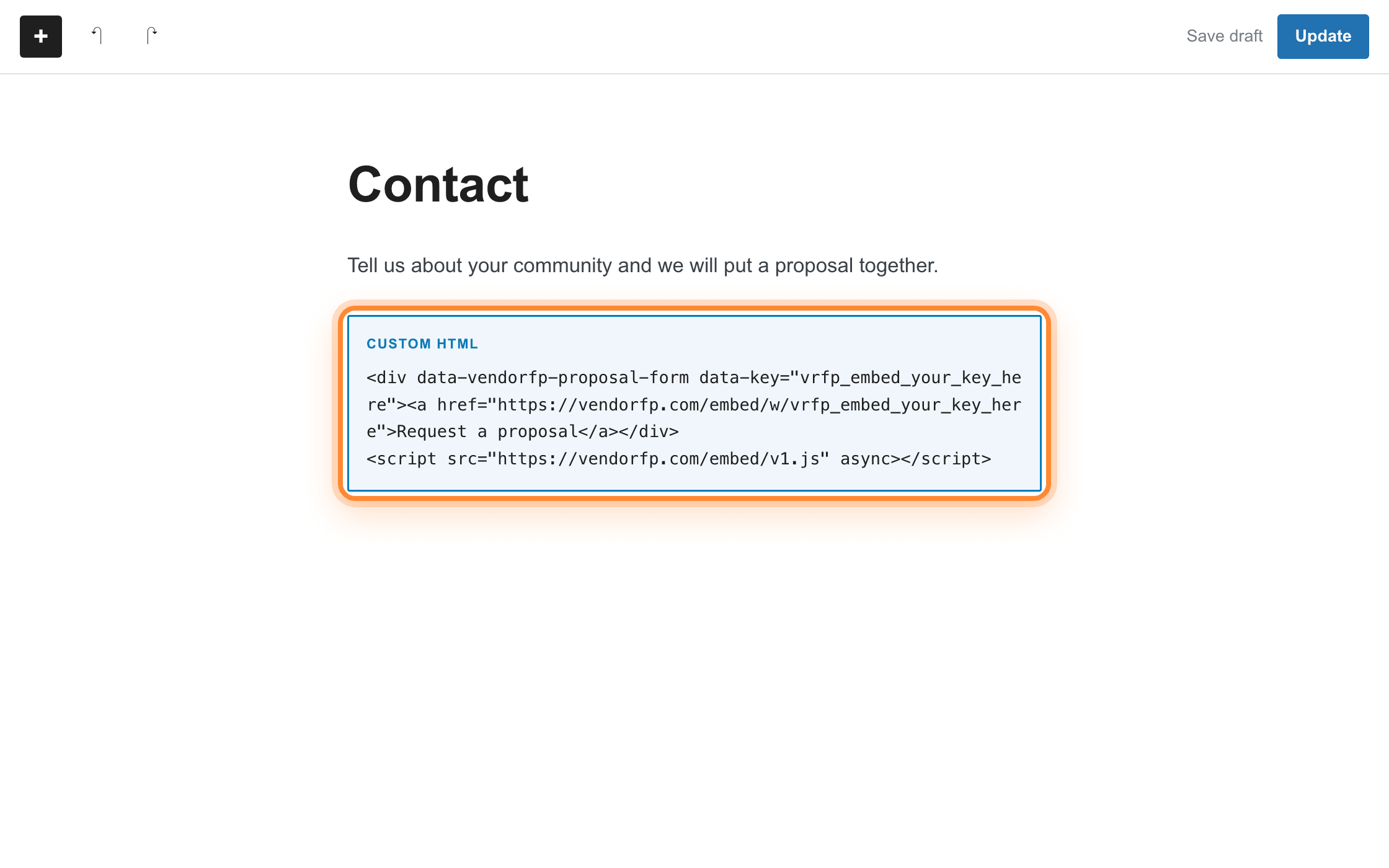
Pasted, the block shows the code as text. That is the Custom HTML block working. Publish, then open the live page
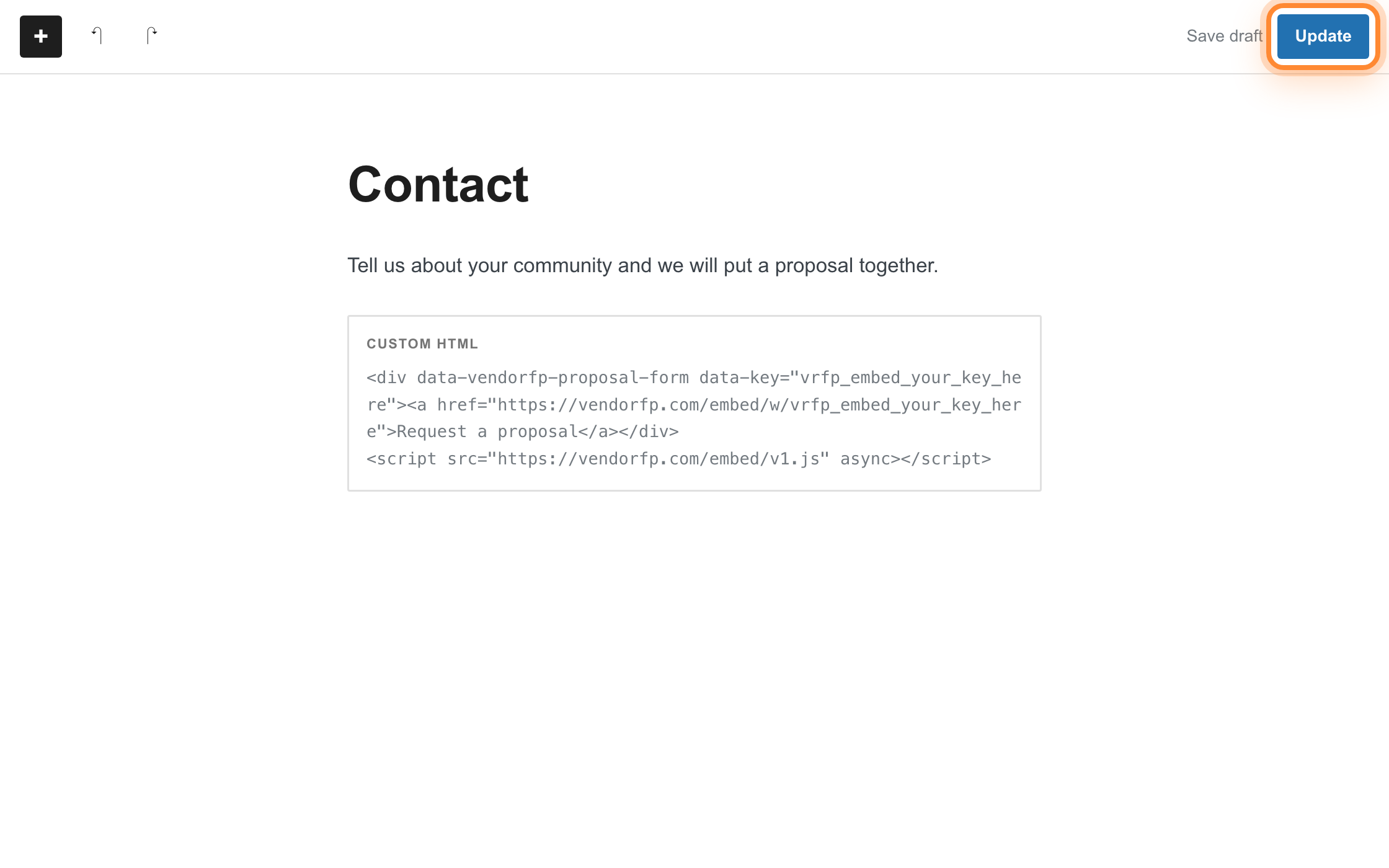
Press Update (or Publish on a new page), then press View Page. The editor shows the raw code. The live page shows the form.
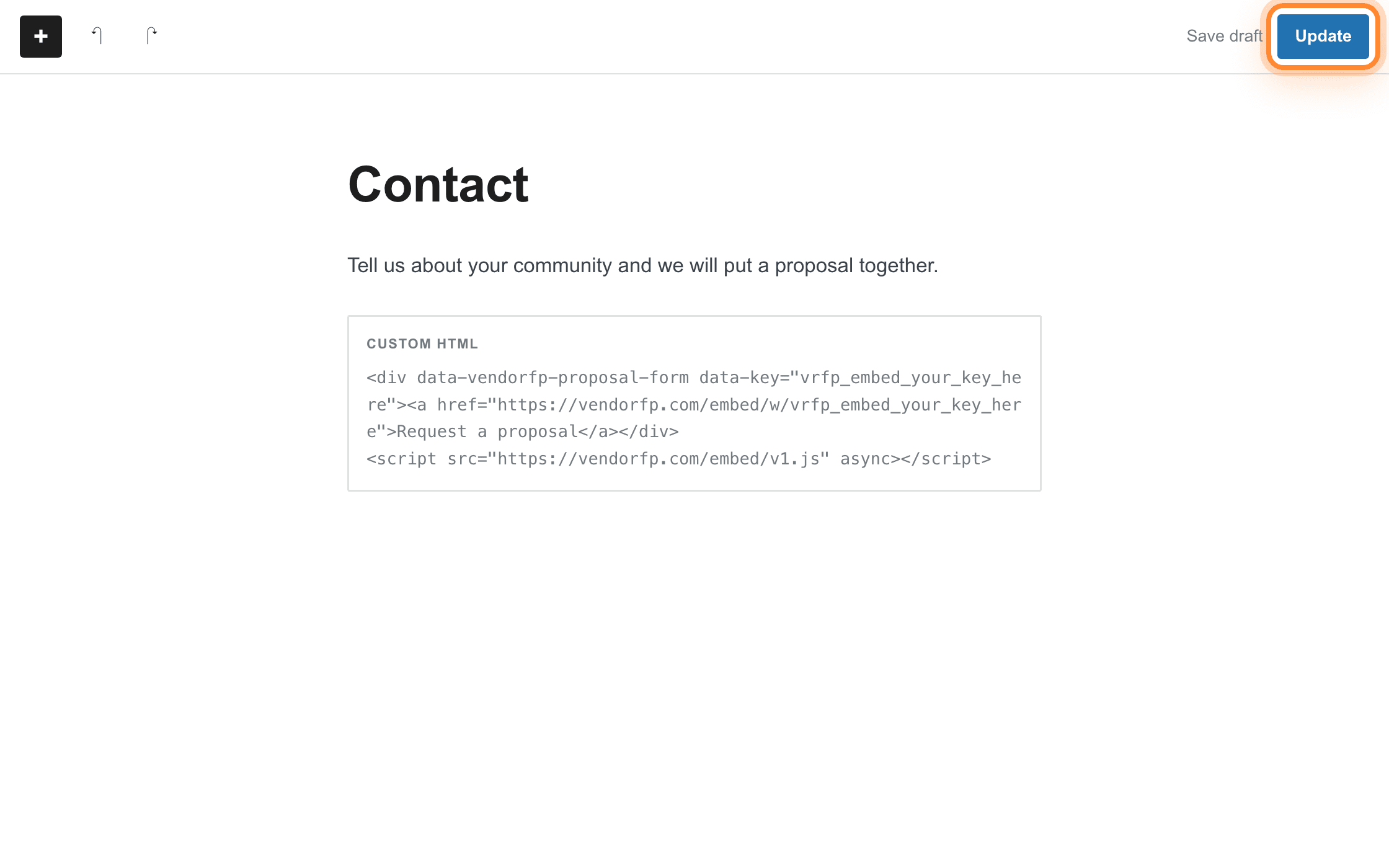
Update is the top right. View Page arrives in the notice along the bottom once it saves.
The Classic editor
If your editor is one long box with a toolbar above it, not a stack of blocks, you are on the Classic editor. Above the top right corner of the box there are two tabs, Visual and Text. Switch to Text first, then paste. Pasting into Visual turns the code into something WordPress displays, not runs, and switching tabs afterwards does not undo that.
Elementor, Divi and other builders
Page builders replace the WordPress editor with their own, and every one has a block for raw code. The names differ and the job is the same. In Elementor, drag in the widget called HTML and paste the snippet into it. In Divi, add a Code module and paste the snippet into the content box. In Beaver Builder, WPBakery and the rest, look for a module named HTML, Raw HTML or Code, and choose HTML if a builder offers both HTML and Text. Builders usually preview their own canvas without running scripts, so the form will not appear inside the builder. Save, then open the live page.
One Code block on the page you want it on. If your plan cannot run a script inside one, a button to your hosted form does the same job and takes two minutes.
Check which plan you are on
The Code block itself is on every Squarespace plan. What is not is the ability to run JavaScript or an iframe inside one. Squarespace lists that as Core, Plus, Advanced, and the older Business, Commerce Basic and Commerce Advanced plans. Our snippet is a script and a frame, so that is the line that matters. A site bought recently is on Basic, Core, Plus or Advanced and an older one is on Personal, Business or Commerce. Basic and Personal are the two that cannot run the snippet. Your plan is under Billing in Squarespace settings, and Squarespace’s own page on code blocks states the rule if you want to check it against the source.
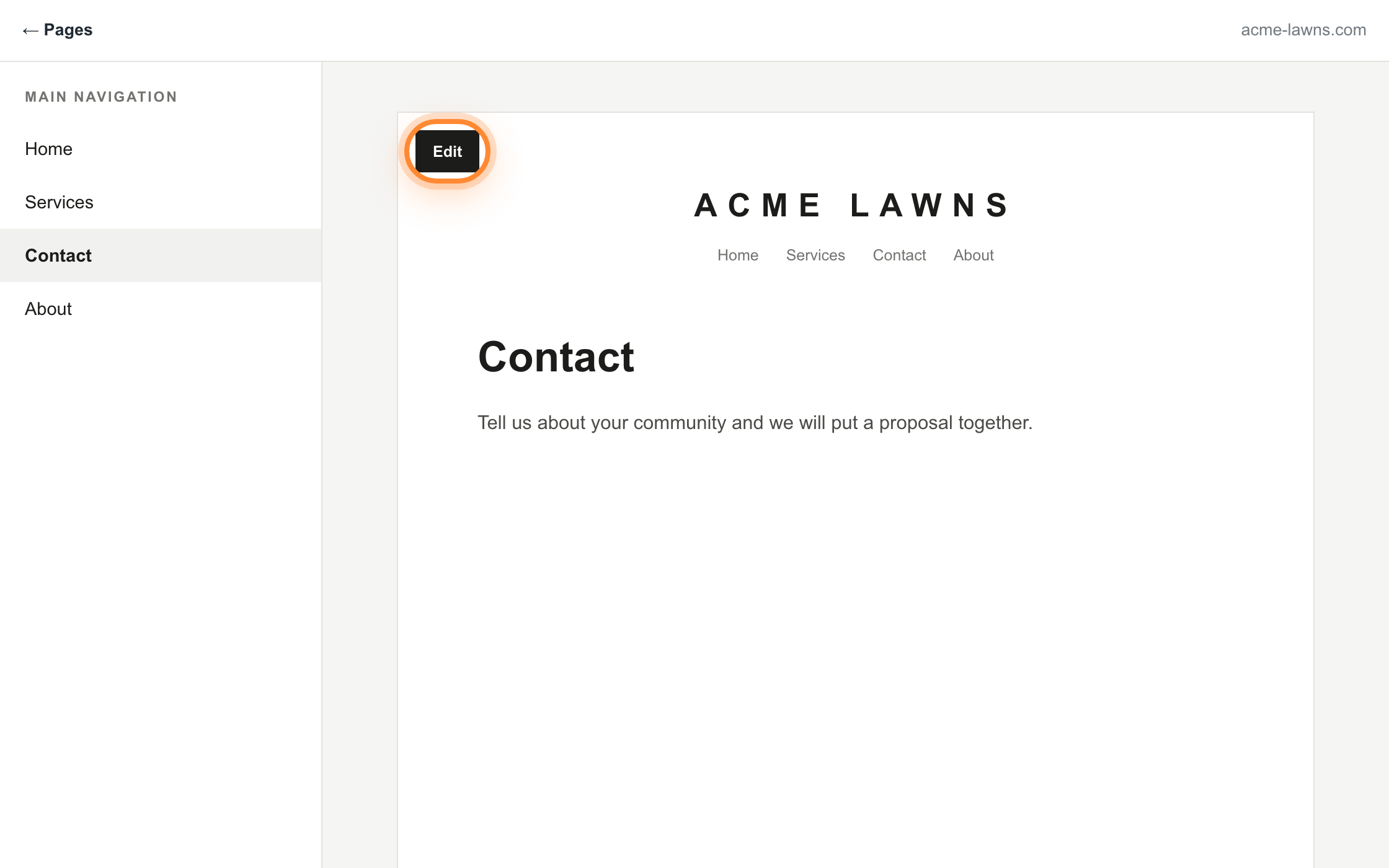
Open the page and press Edit
In Pages, click the page you want the form on, then press Edit.
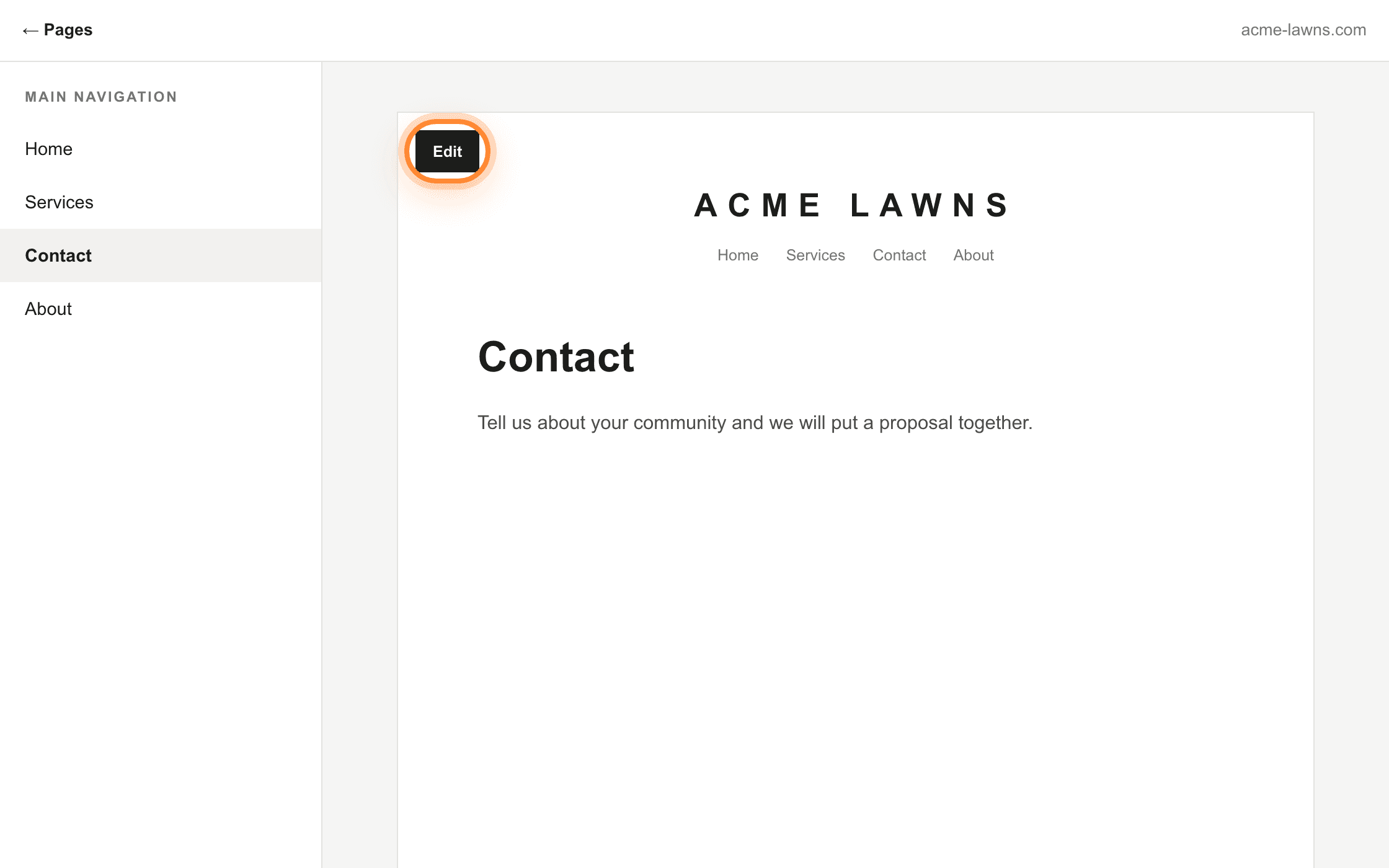
Edit appears over the top left corner of the page itself, not in the panel beside it. Add a Code block where you want the form
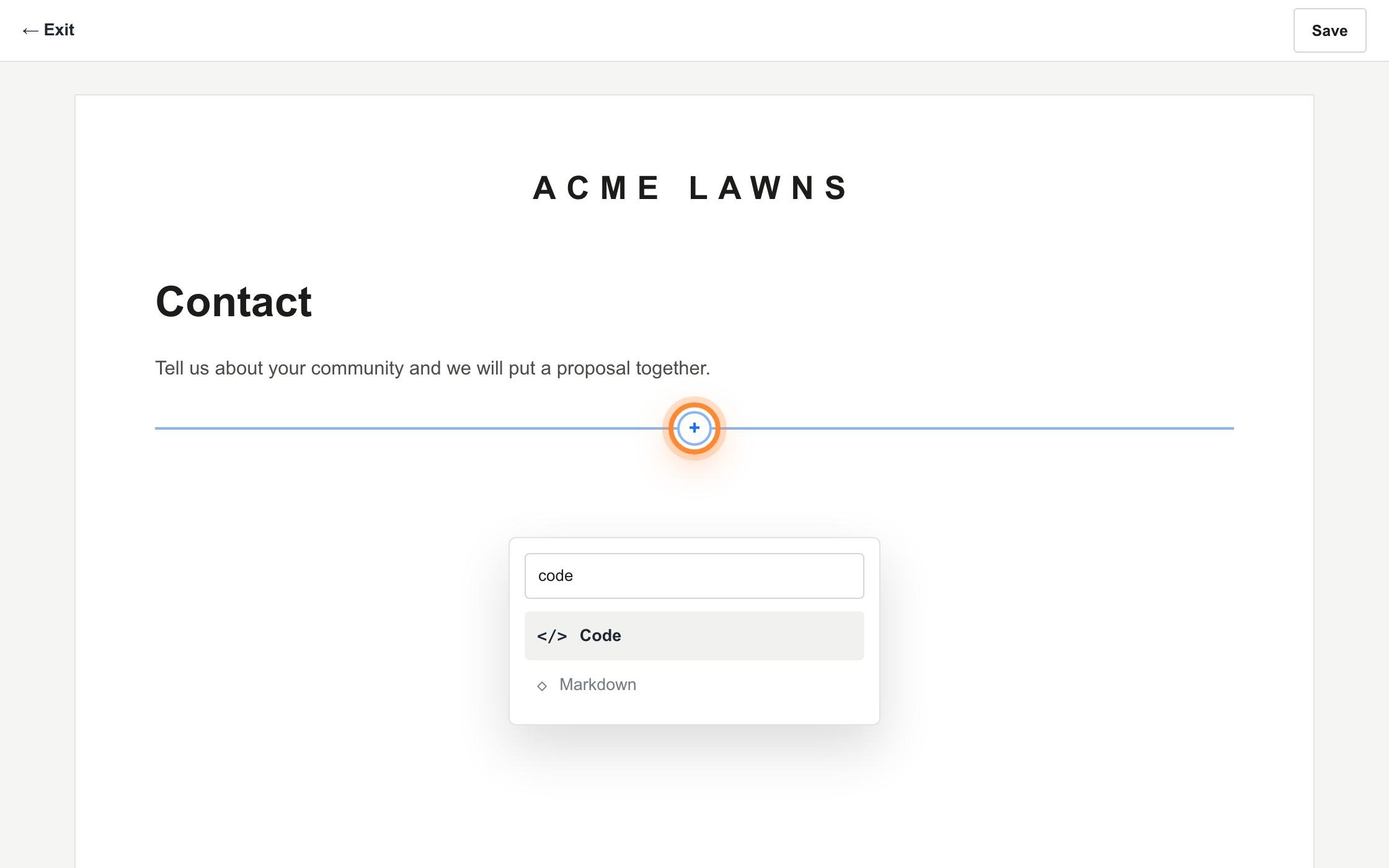
Hover where the form should go until the insert point appears, click it, and search the block list for Code.
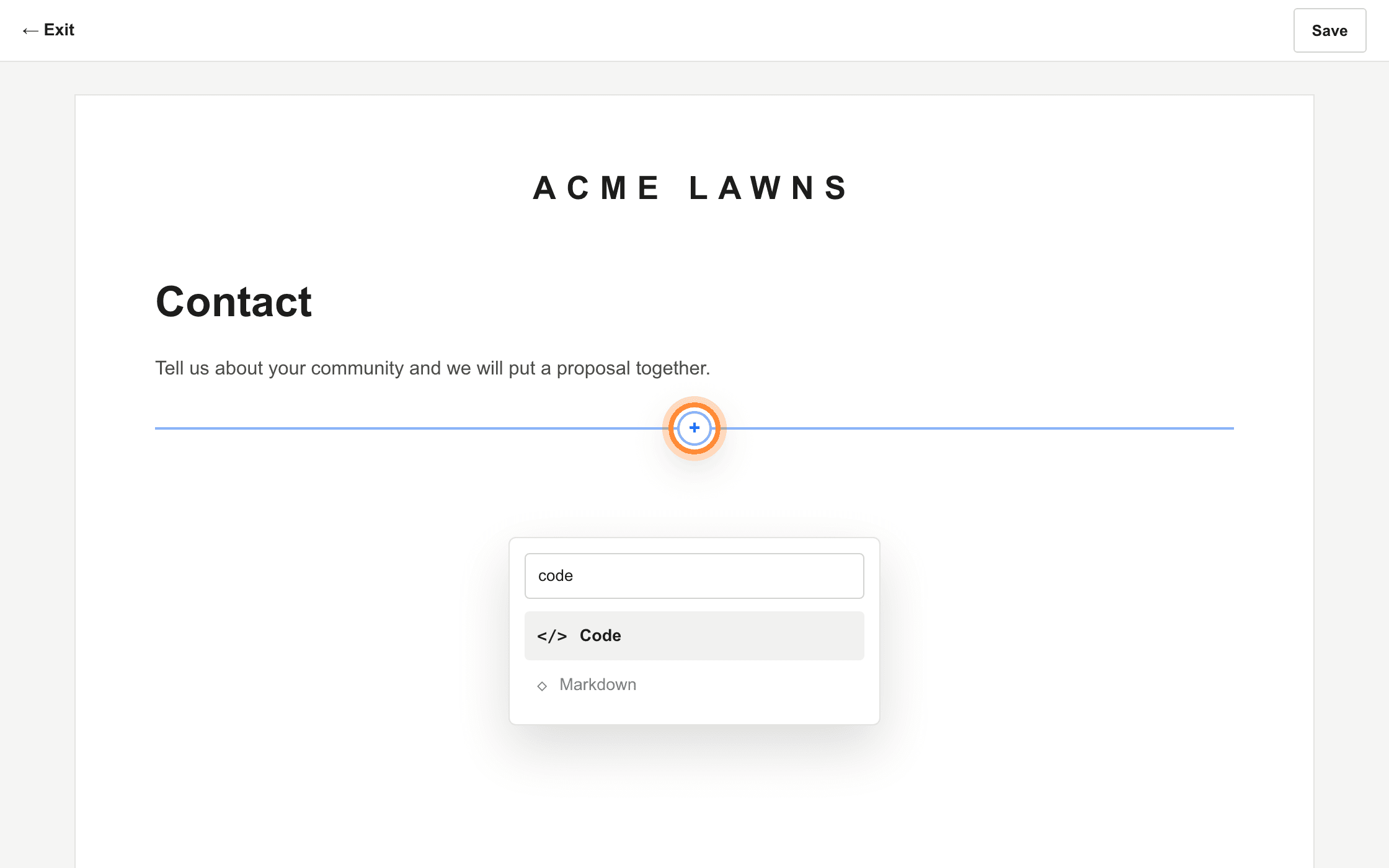
The insert point is the line that follows the pointer. Its round + opens the block list. Replace the sample content
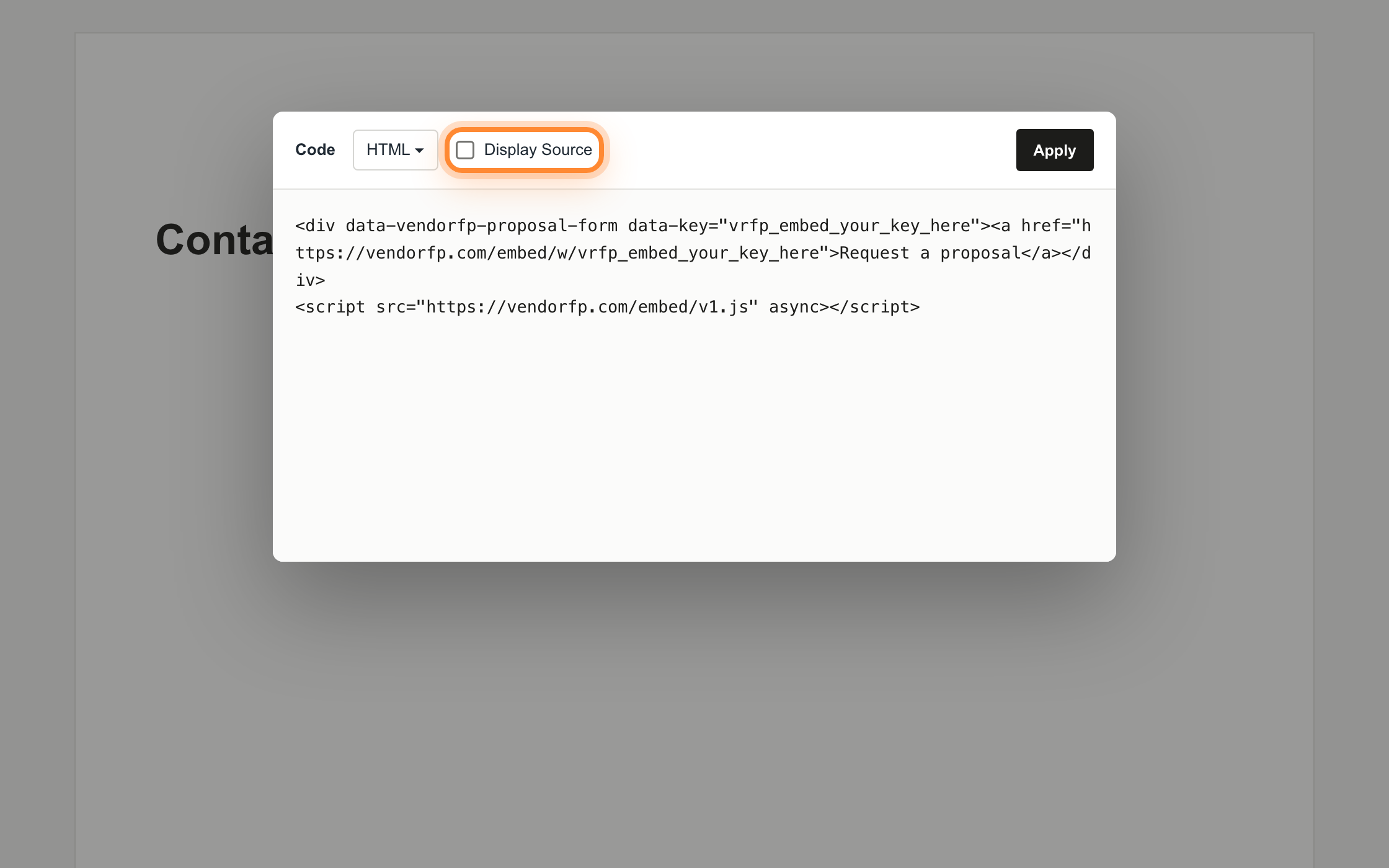
A new Code block arrives with a line of sample content in it. Select all of it, delete it, and paste the snippet in its place. Leave the mode set to HTML, and leave Display Source unticked. Ticking it shows your visitors the code instead of the form.
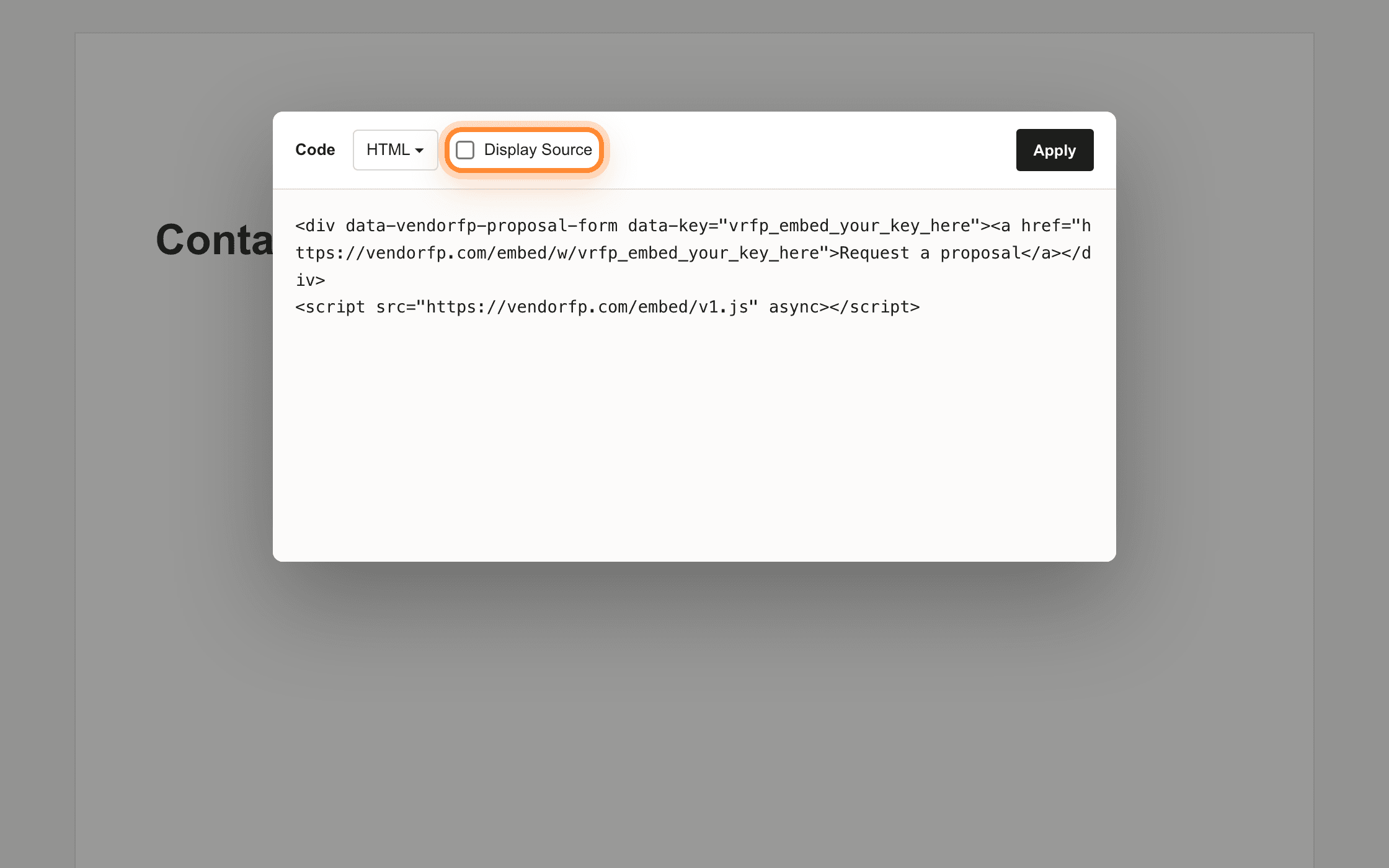
Display Source sits beside the HTML selector. Leave it unticked. Save, then open the live page
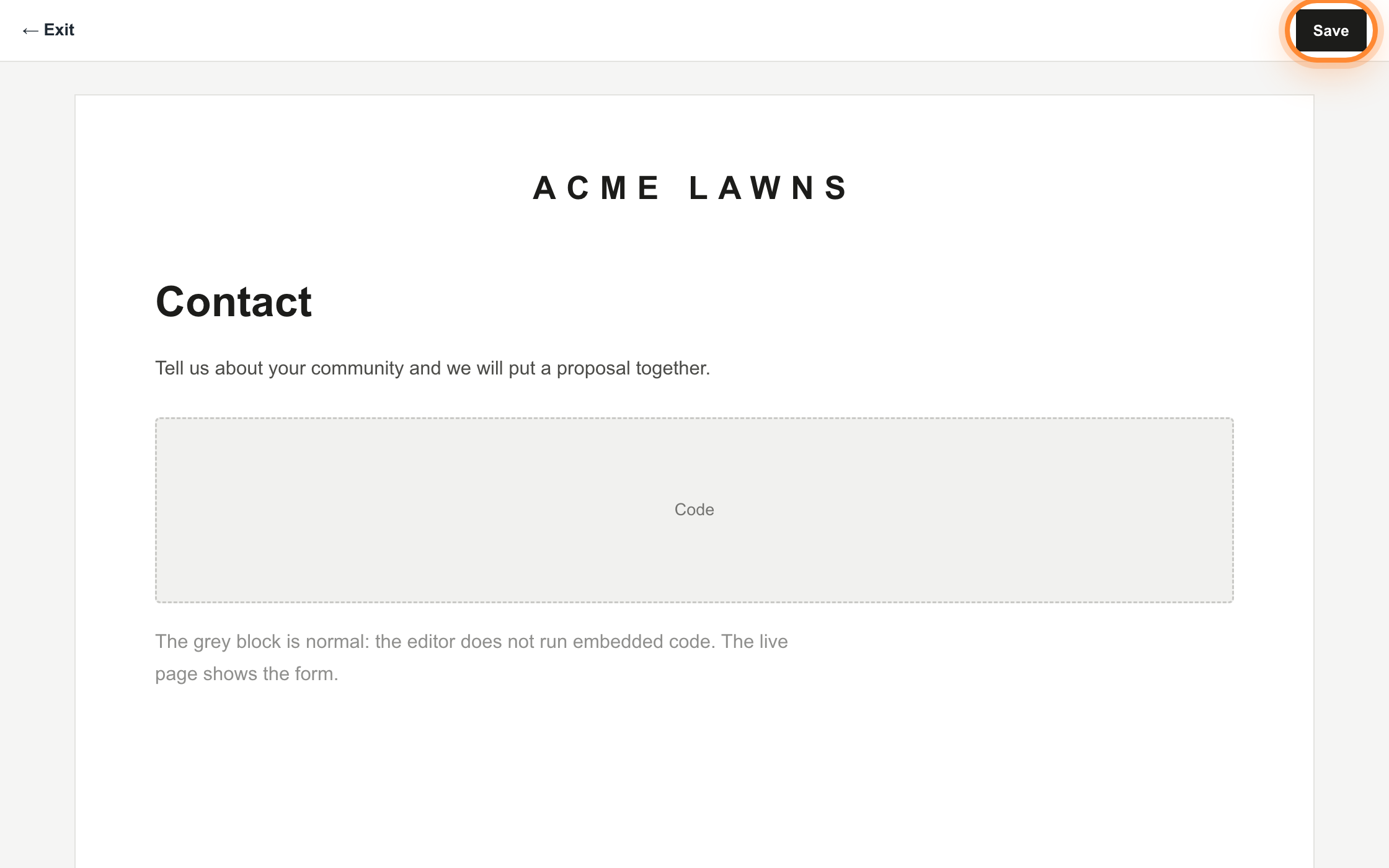
Press Save. The editor shows a grey placeholder where the block is, because Squarespace does not run embedded code inside the editor. That is expected. Open your site in a normal browser tab to see the form.
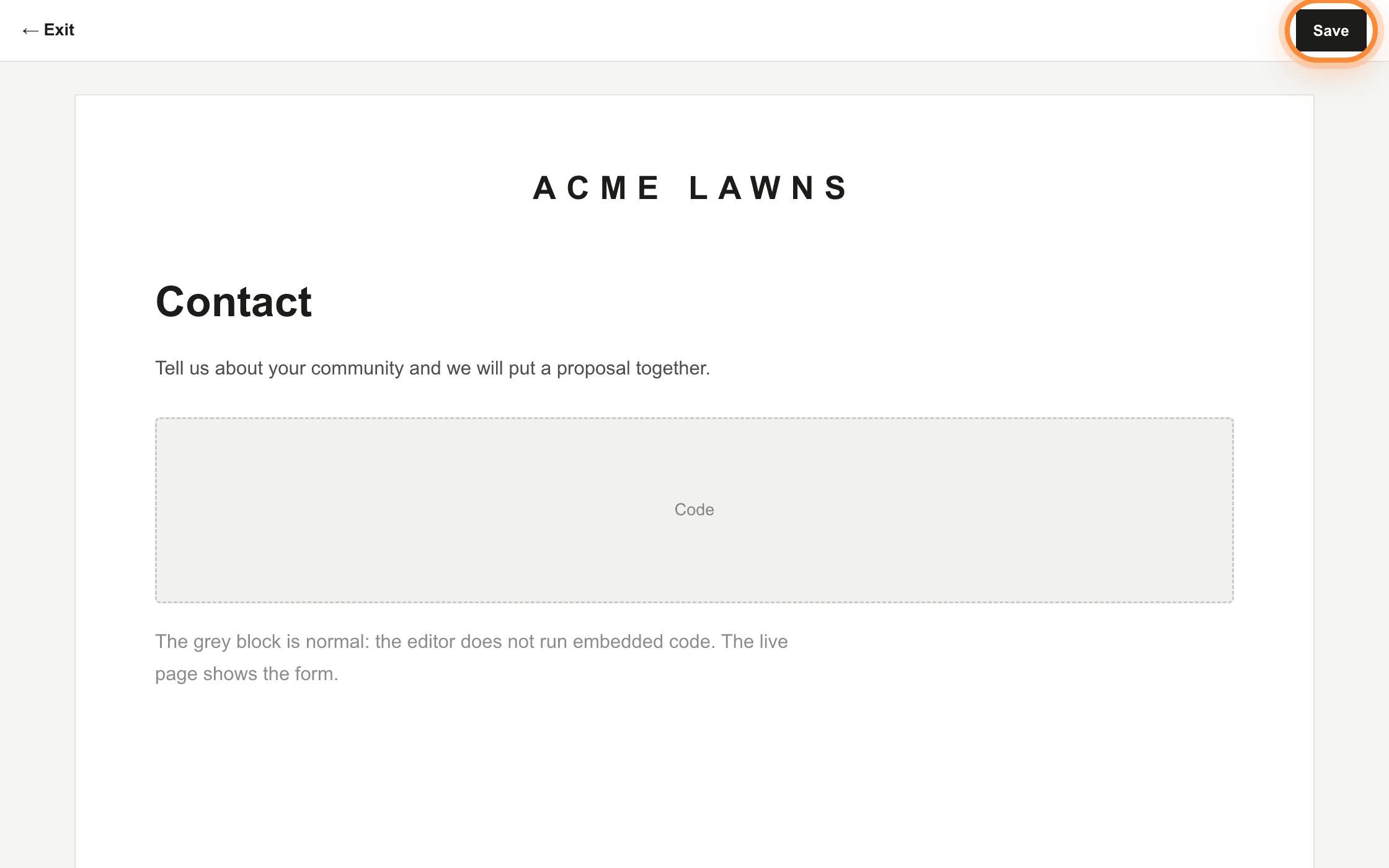
The grey block is the expected editor view. The form is on the live page.
Add a button on any plan
Every key also has a plain web address that opens the same form as a full page. It needs no plan, no code block and no addresses registered. Edit the page and add a Button block where you want it. Set the button text to something plain, such as Request a proposal. For the link, choose External and paste your hosted form address. Tick Open in new window so the visitor keeps your page, then Save.
https://hoacrew.com/embed/w/vrfp_embed_your_key_hereOn Wix the form goes behind a button, not inside the page, and the reason is below. It works on every Wix plan and needs no code.
Every key also has a plain web address that opens the same form as a full page. It needs no plan, no code block and no addresses registered.
Open the page in the Wix editor
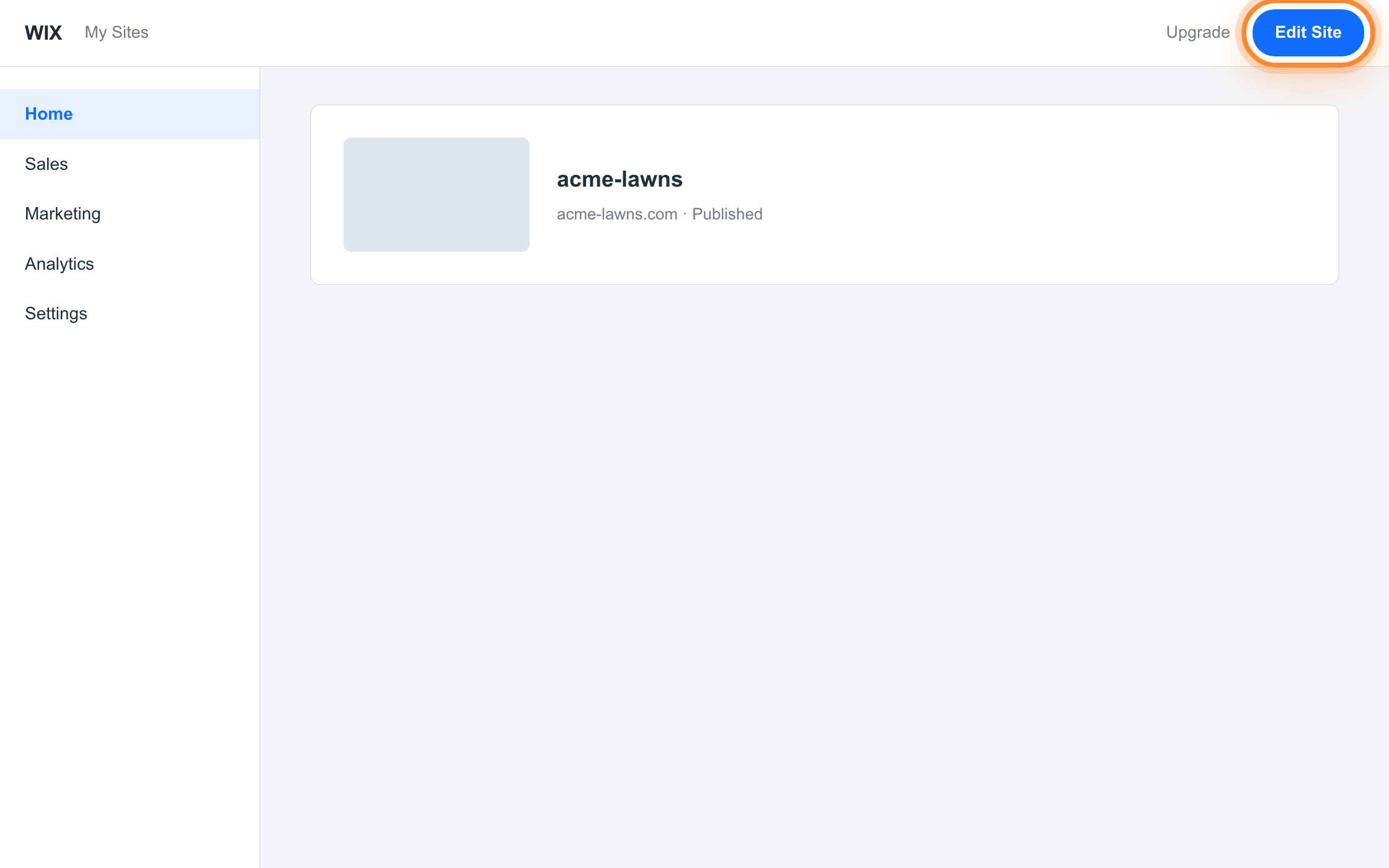
Press Edit Site, then open the page you want the button on. Your Contact page or the foot of a services page are the usual spots.
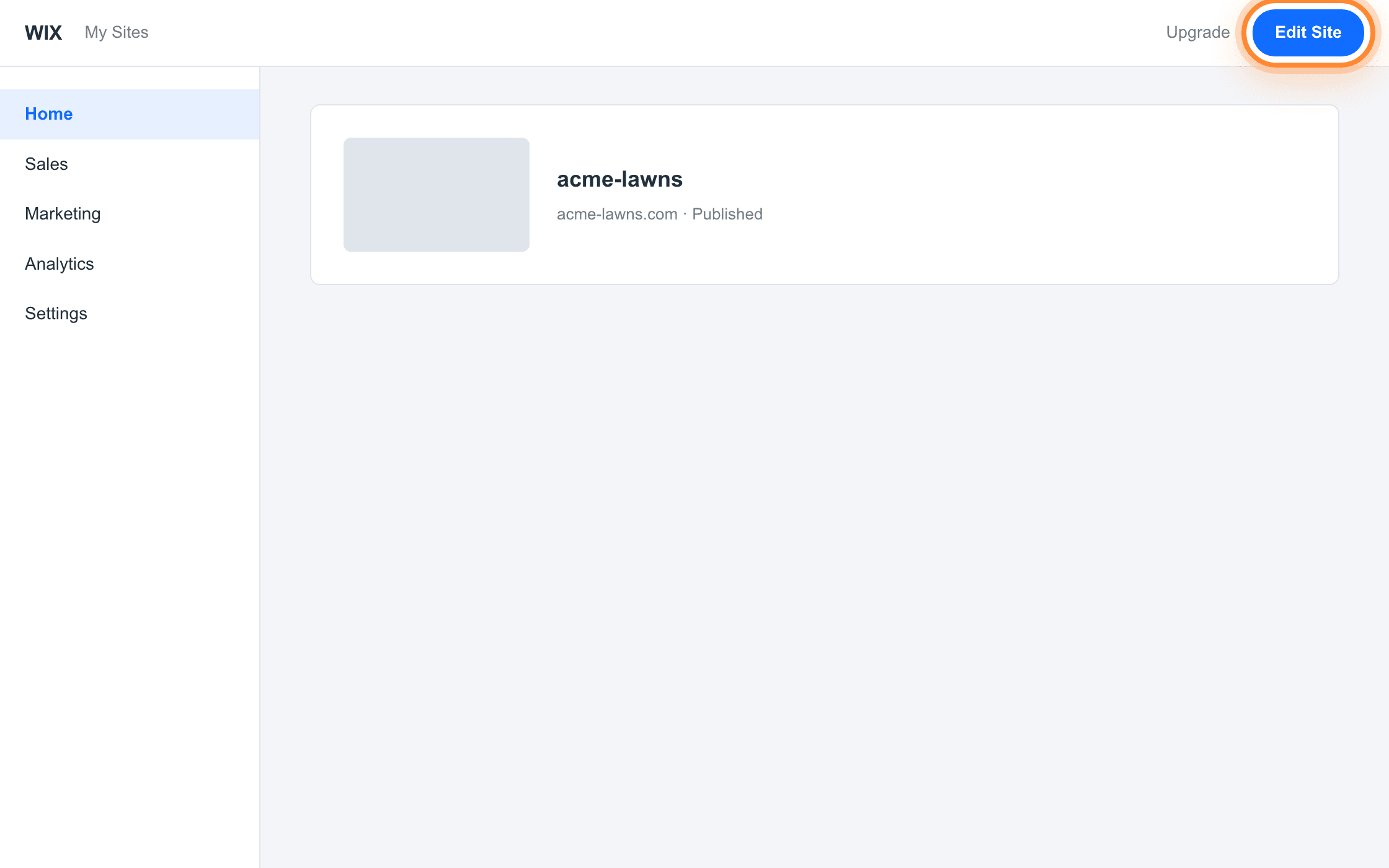
Edit Site is the top right of your site’s dashboard, not inside the editor. Add a button
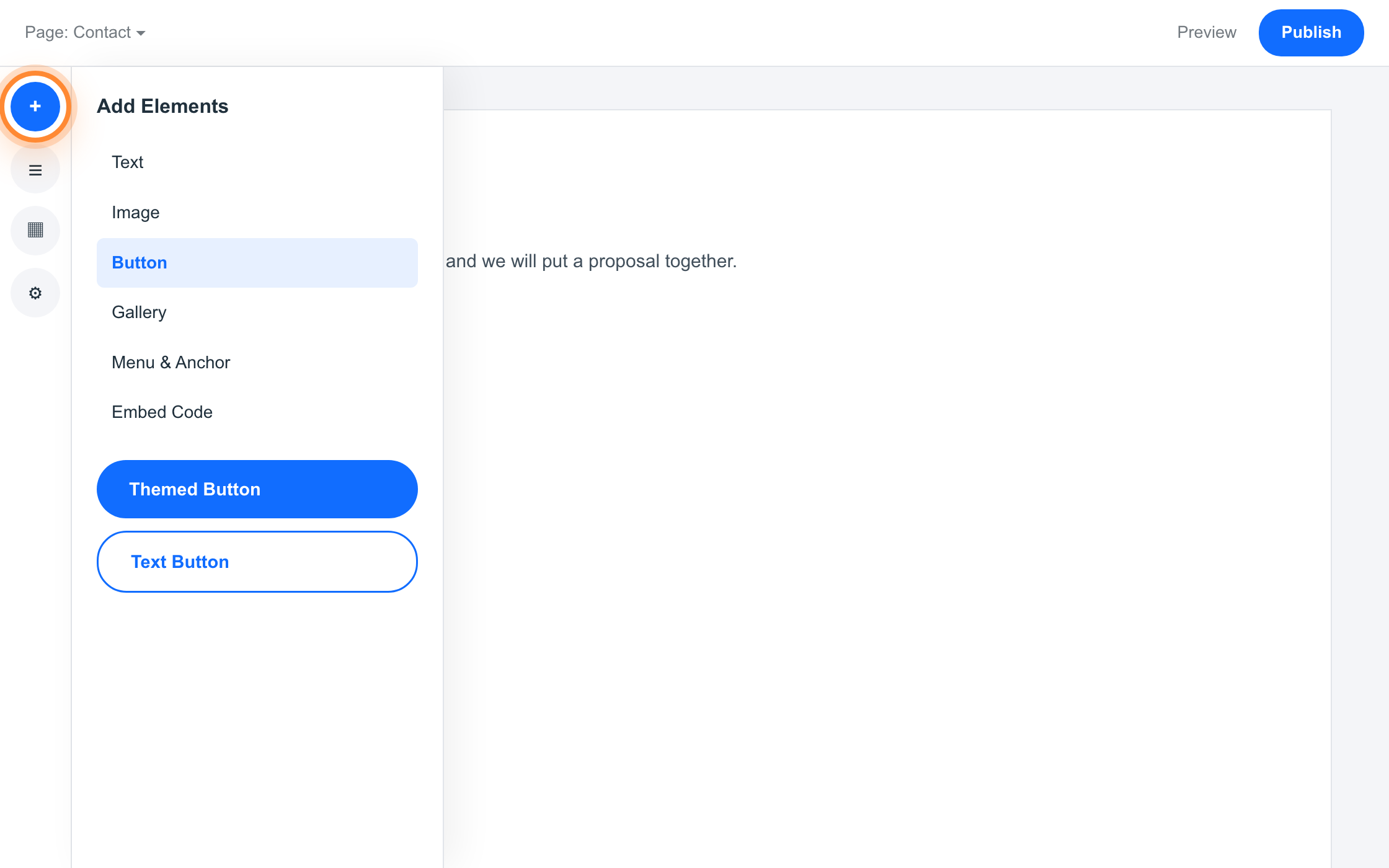
Press Add Elements, choose Button, and drag one where you want it.
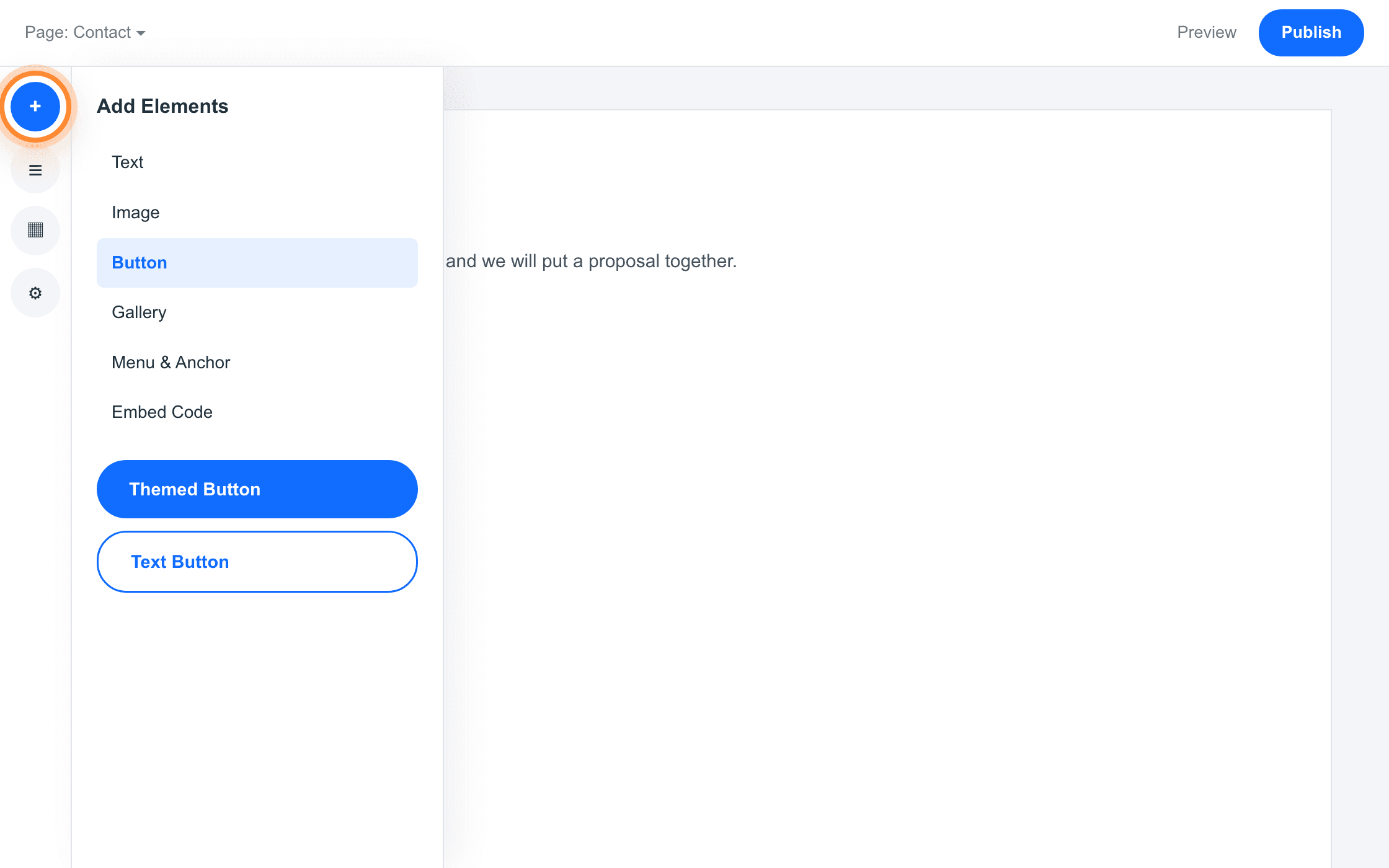
Add Elements is the + at the top of the left rail. Button is a category inside it. Set the text and the link
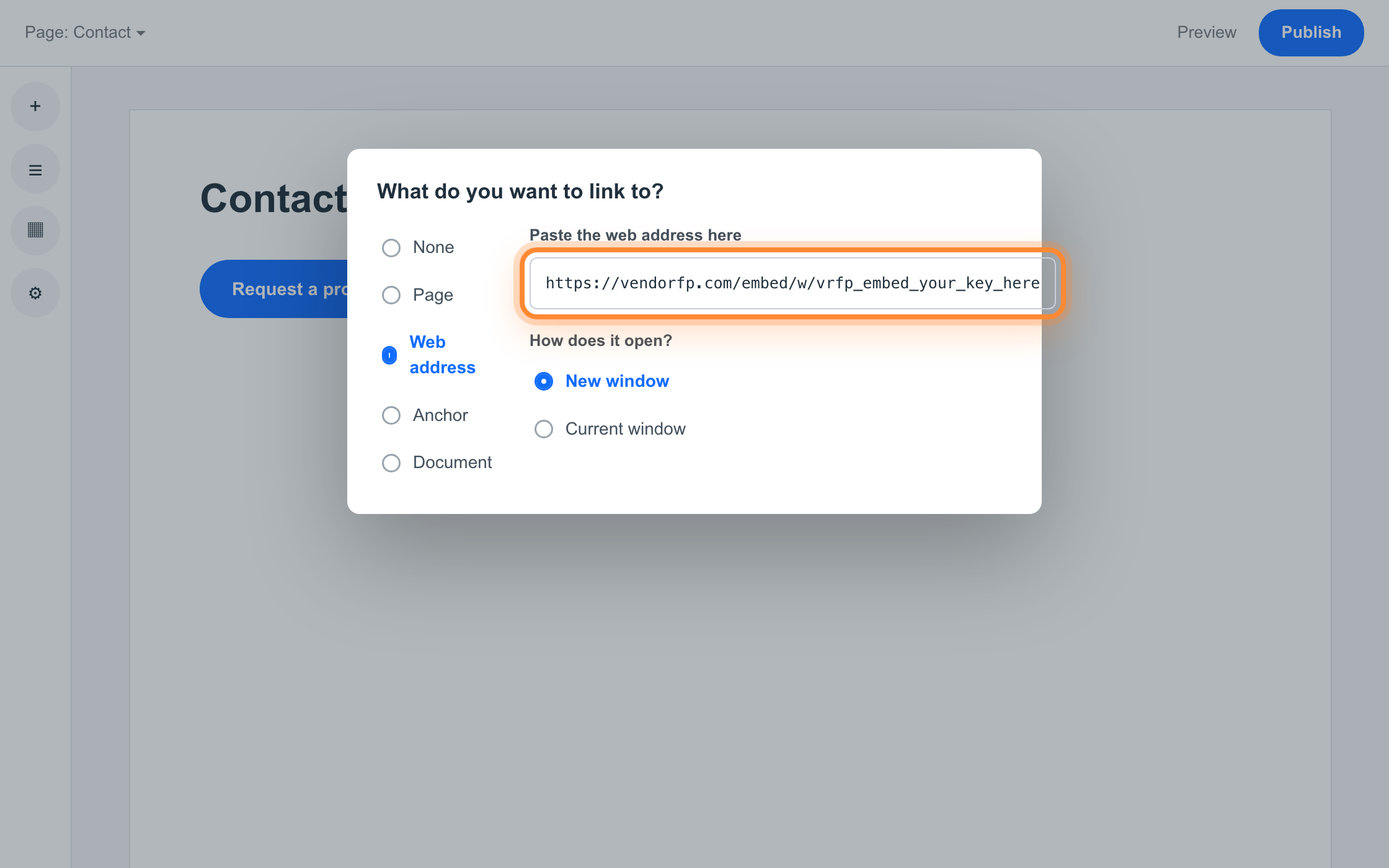
Double-click the button, set its text to something plain such as Request a proposal, then press Link. Choose Web address and paste your hosted form address. Set it to open in a new tab so the visitor keeps your page.
What goes in the web address box https://hoacrew.com/embed/w/vrfp_embed_your_key_here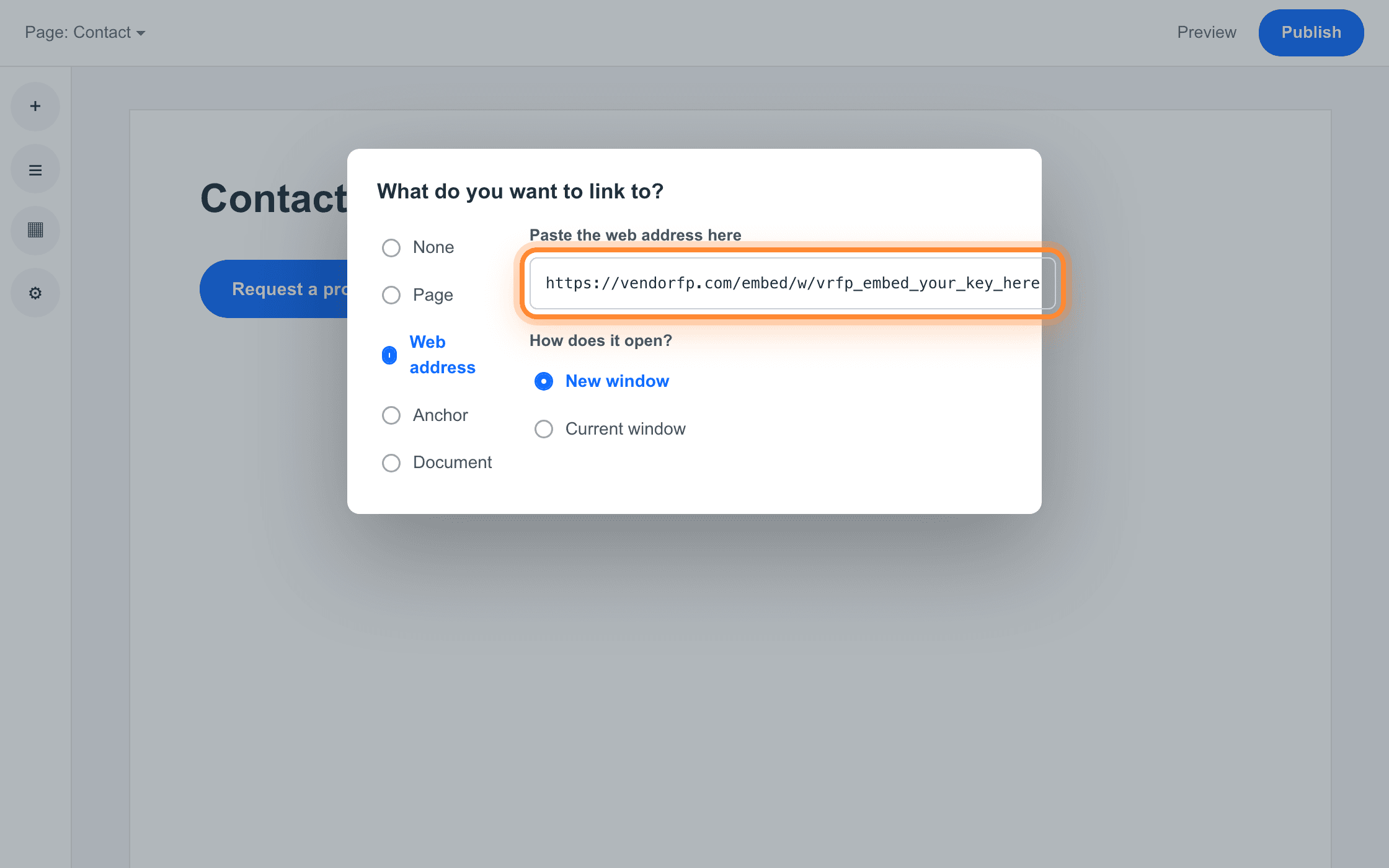
Web address is the third option down. The box beside it takes the whole address. Publish
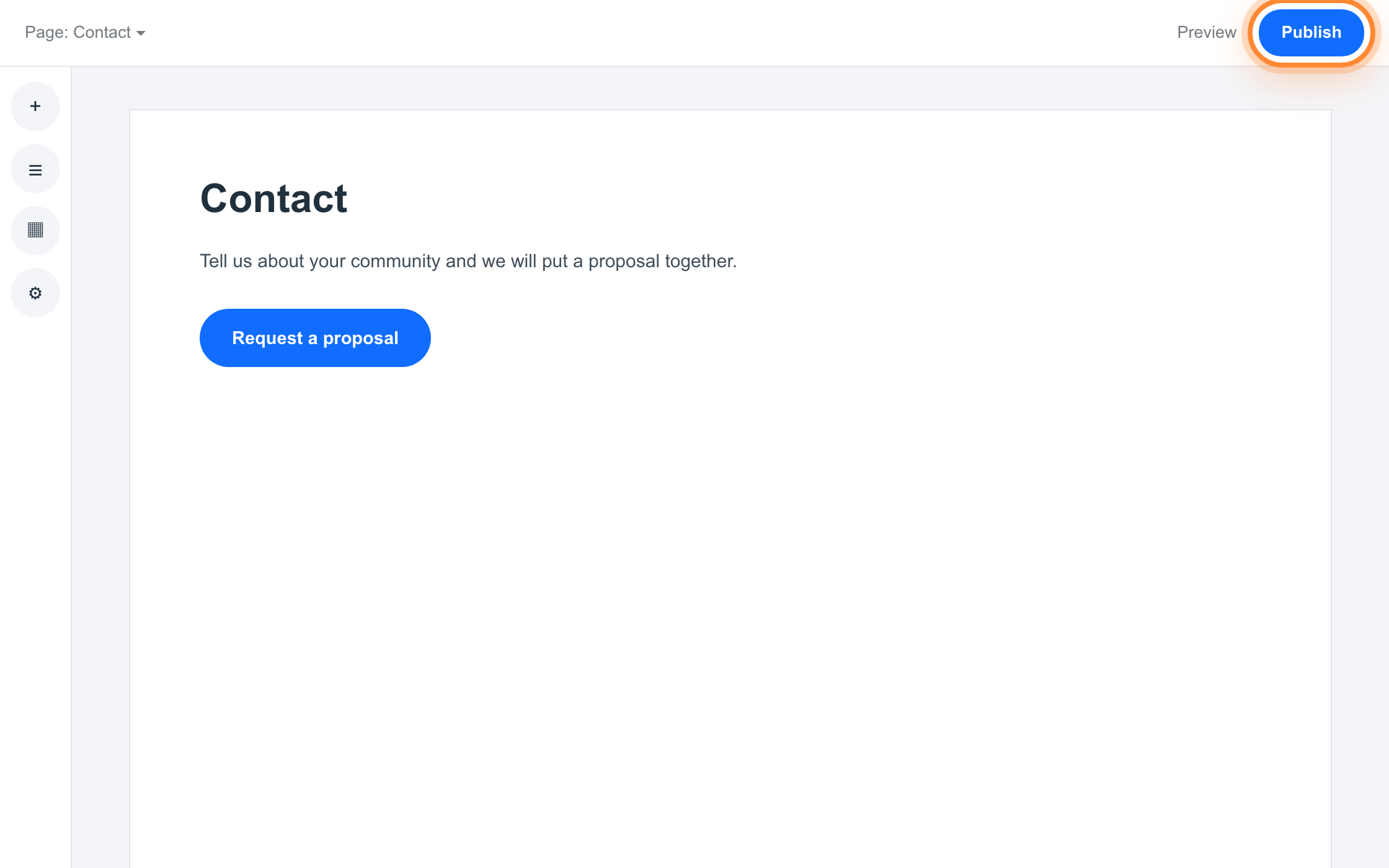
Press Publish, then open your live site and press the button. The form opens, you fill it in and send it from there, and the request arrives in your dashboard.
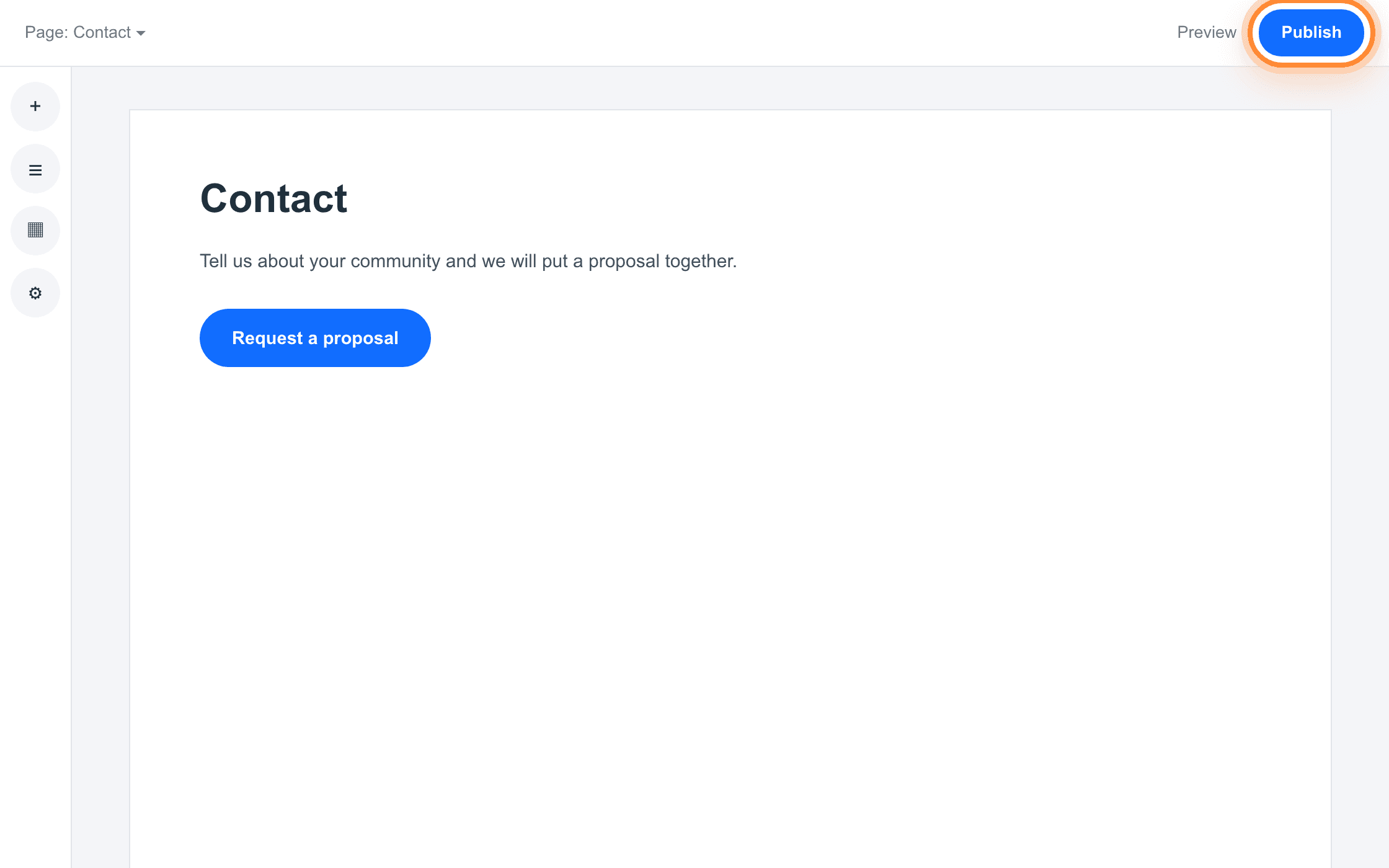
Publish is the top right of the editor. Nothing is live until you press it.
Why Wix is different from the others
Wix’s Embed HTML element does not put your code onto your page. It puts it inside a frame that Wix serves from a Wix web address, and your code runs in there. Wix works that way on purpose, to keep a stray script on one site from interfering with the rest of the editor. Our form is told which web addresses are allowed to display it, and browsers check that against every frame the form finds itself inside, not just the outermost page. Inside a Wix embed, the frame immediately around our form belongs to Wix, so your own address is not the one being checked.
The obvious workaround is to register the Wix address. We do not recommend it, because that address is shared with every other Wix site. A list of allowed addresses is only as good as who else is at those addresses, and putting a shared one on the list would mean your key working on sites that are nothing to do with you.
If you paste the snippet anyway
Nothing breaks and no visitor sees an error. The loader waits a few seconds for the form, does not get it, and puts a working Request a proposal button in its place, pointing at the same hosted form. Somebody reading your page gets a working button either way, and their request still reaches you. Pasting it is a longer route to the same button, with a few seconds of empty space before it appears. Adding the button yourself is the tidier version of the same outcome.
One Code embed element on the page you want it on. Custom code needs a paid Webflow plan, and the step people miss is the staging address, so both are covered here.
Open the page in the Designer
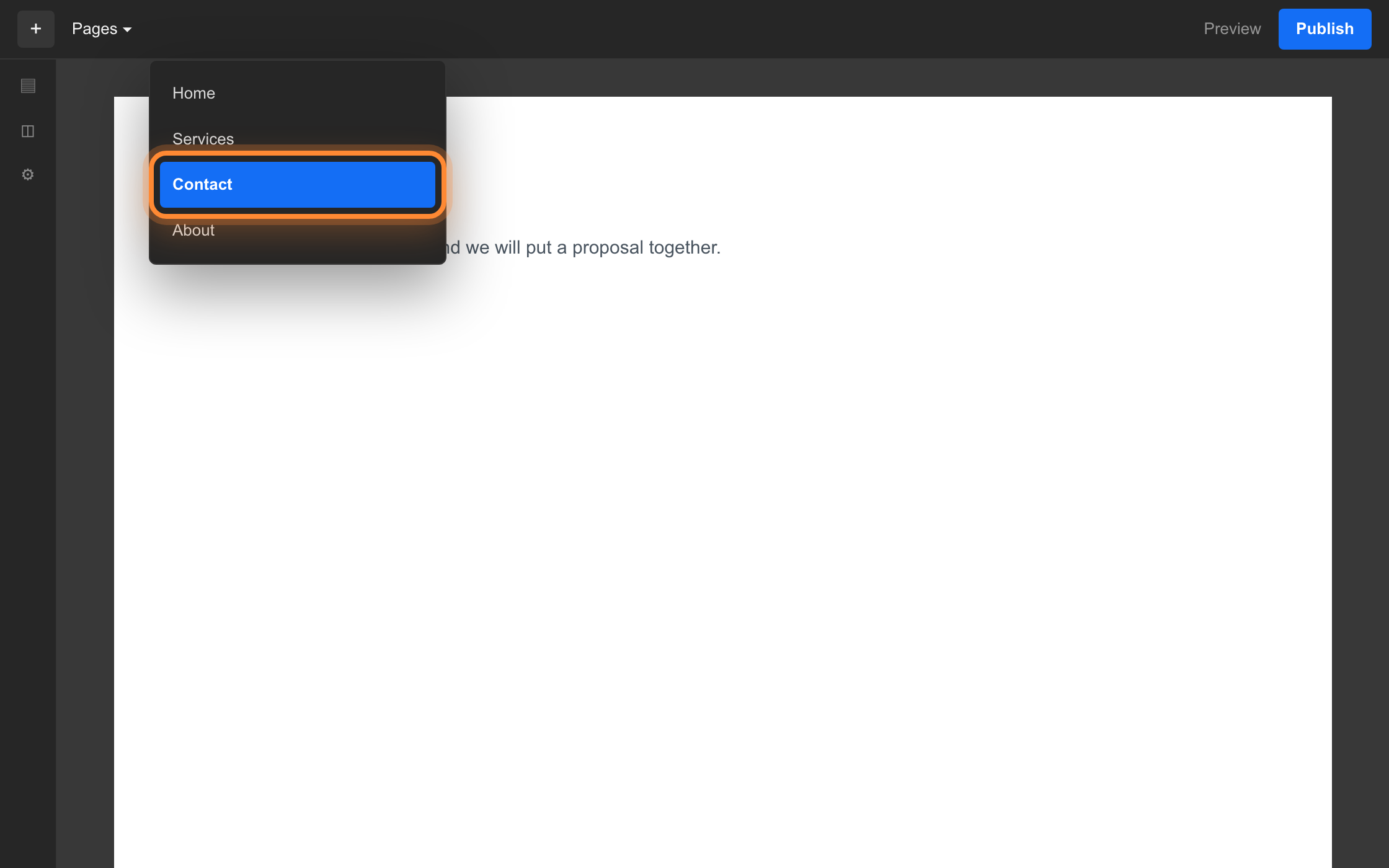
Open your project, then the page you want the form on. Click where it should sit so Webflow knows where to put the new element.
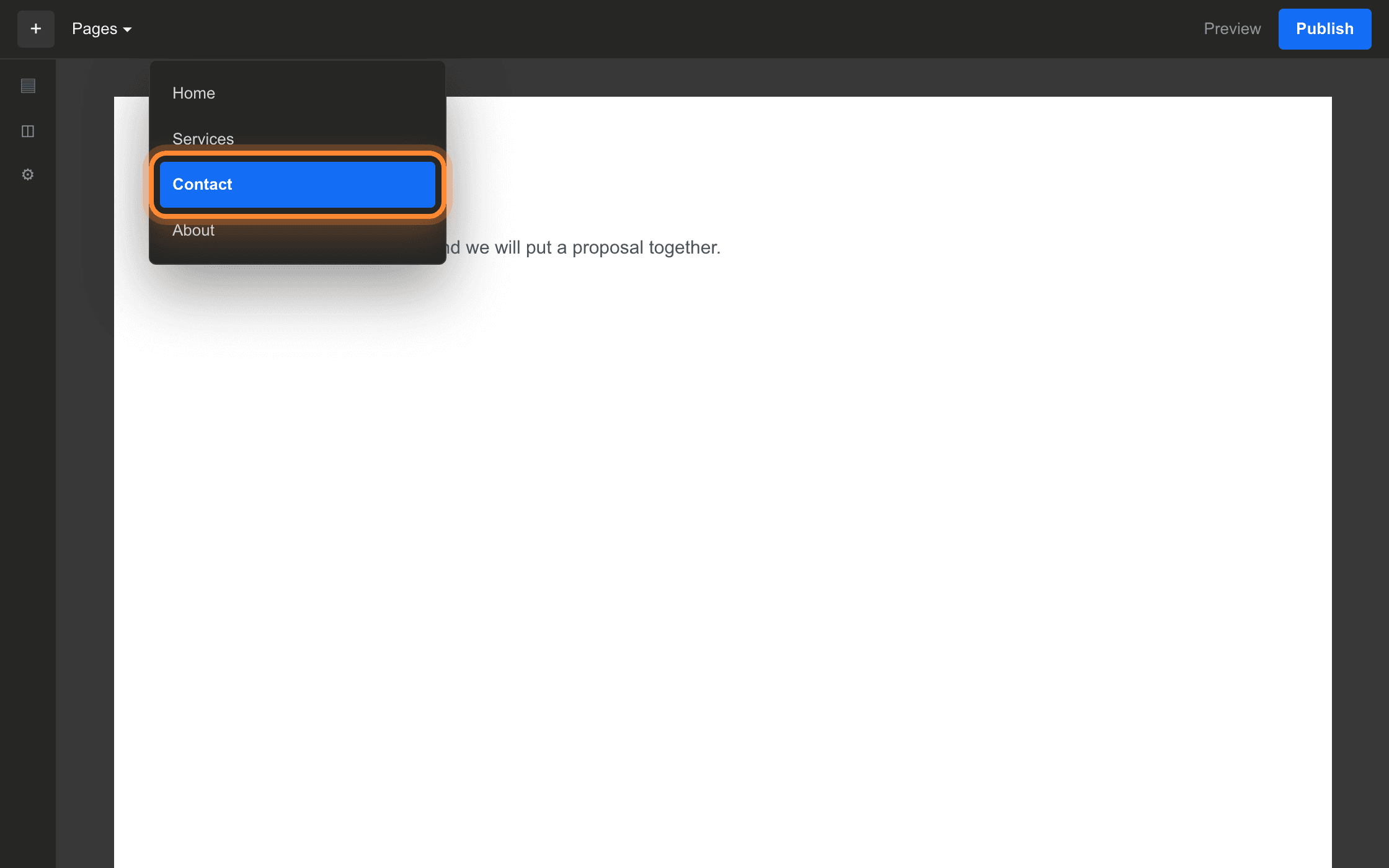
The Pages menu is beside the + at the top left of the Designer. Drag in a Code embed element
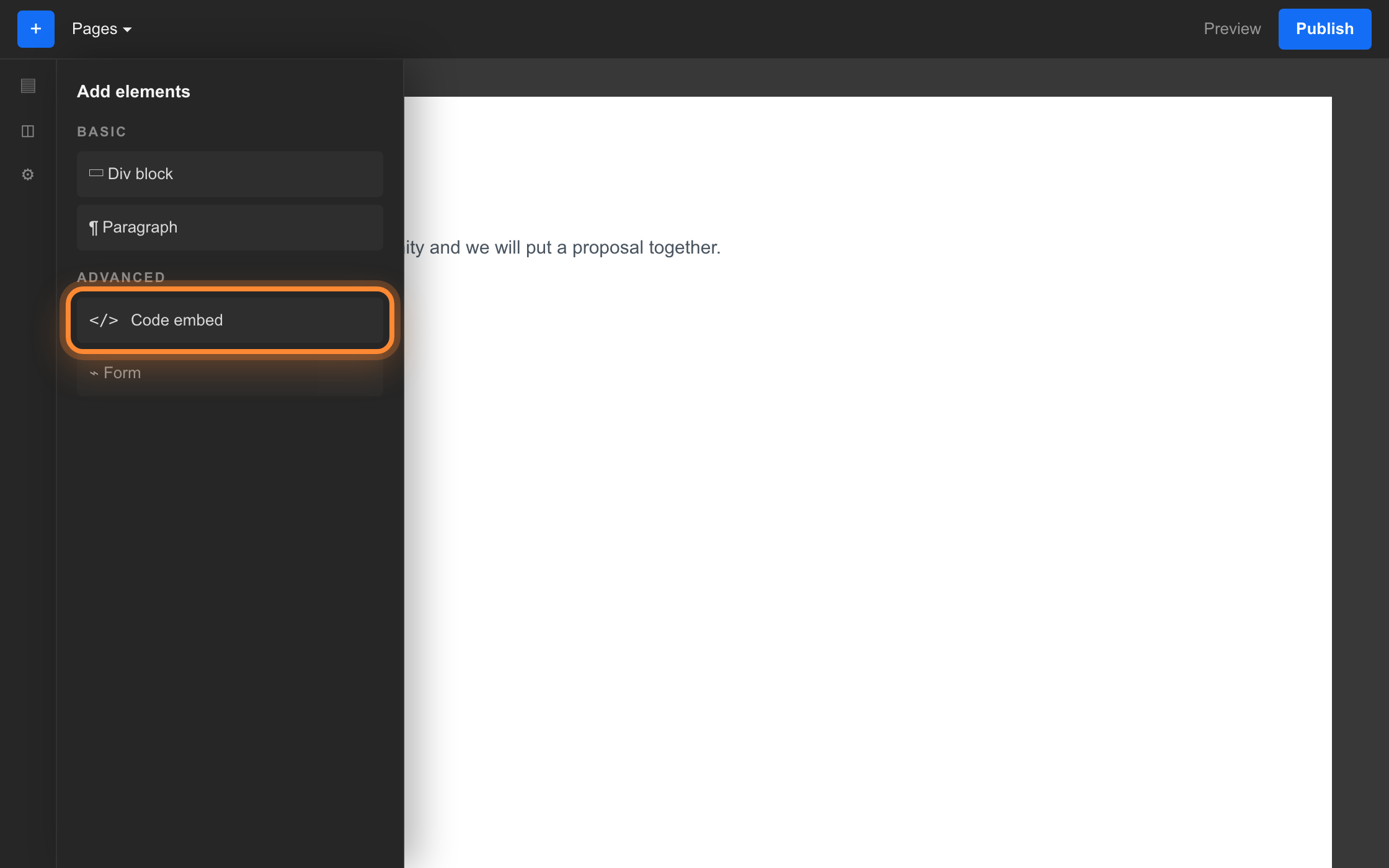
Press the + in the top left to open the Add panel, find Code embed under Advanced, and drag it onto the page. A code editor opens as soon as it lands. Older Webflow projects label the same element Embed.
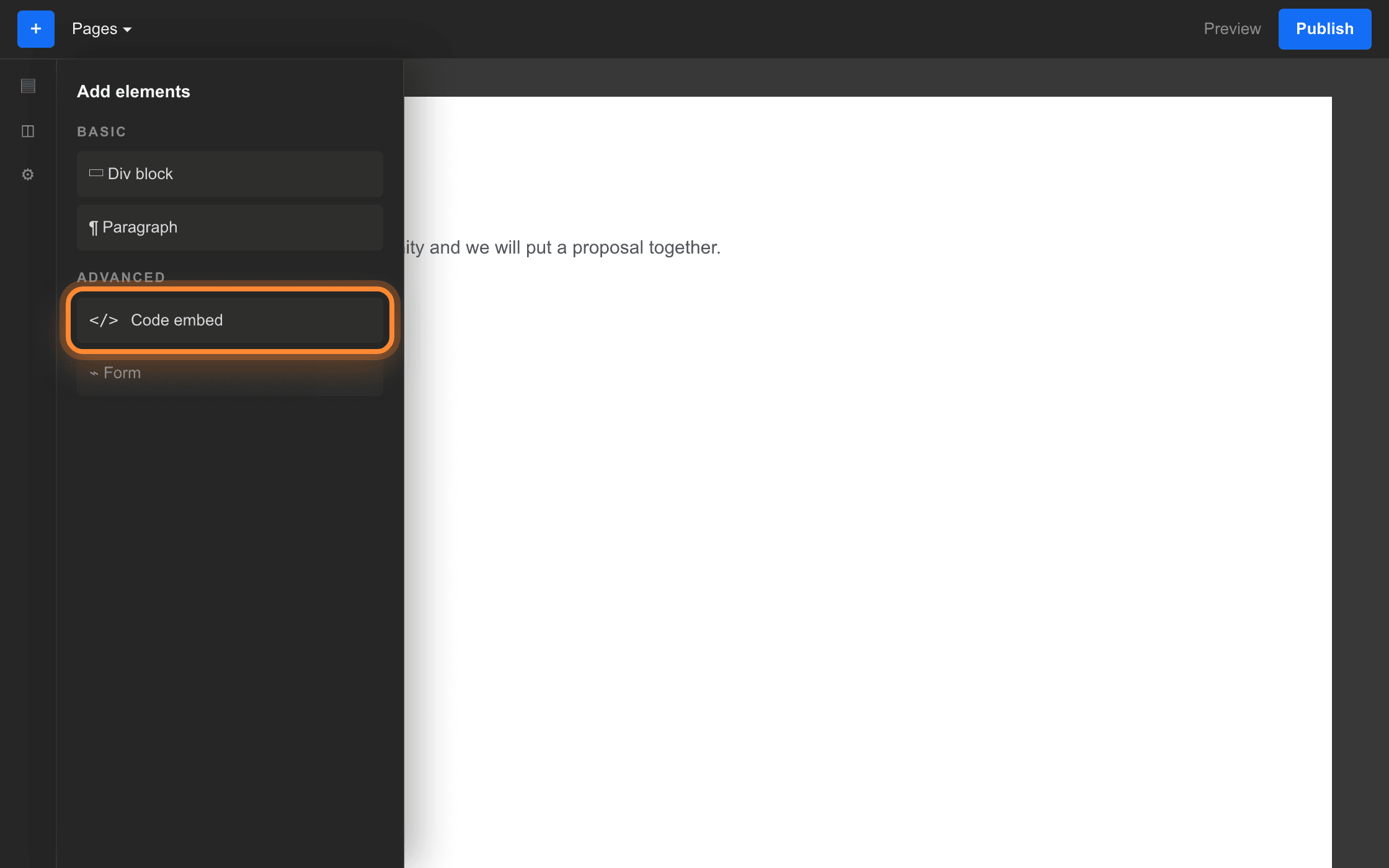
Code embed is under Advanced, below the Basic elements. Paste and save
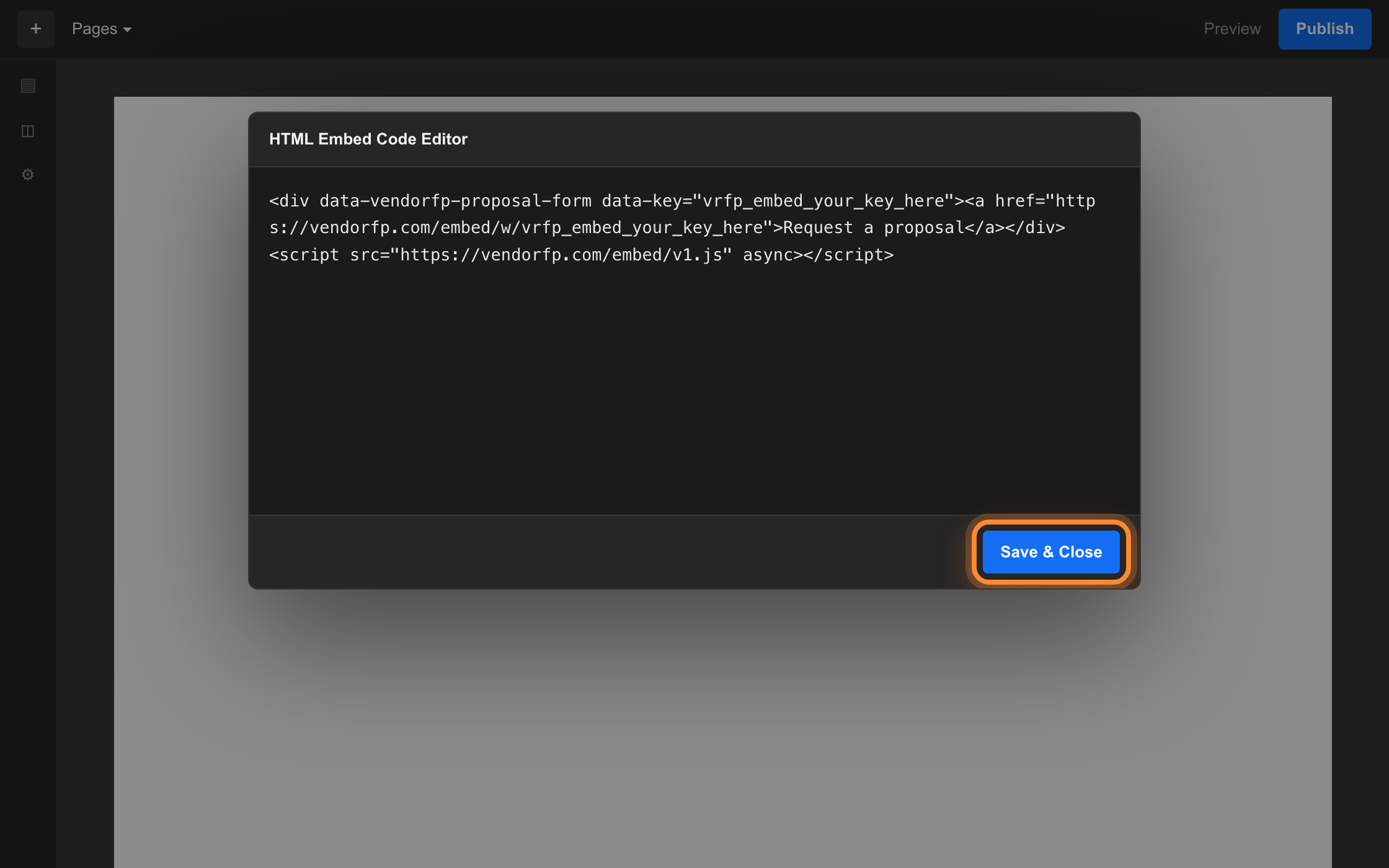
Paste the snippet into the editor and press Save and Close. The canvas now shows a placeholder block, not the form. The Designer does not run embedded code, so that is expected.
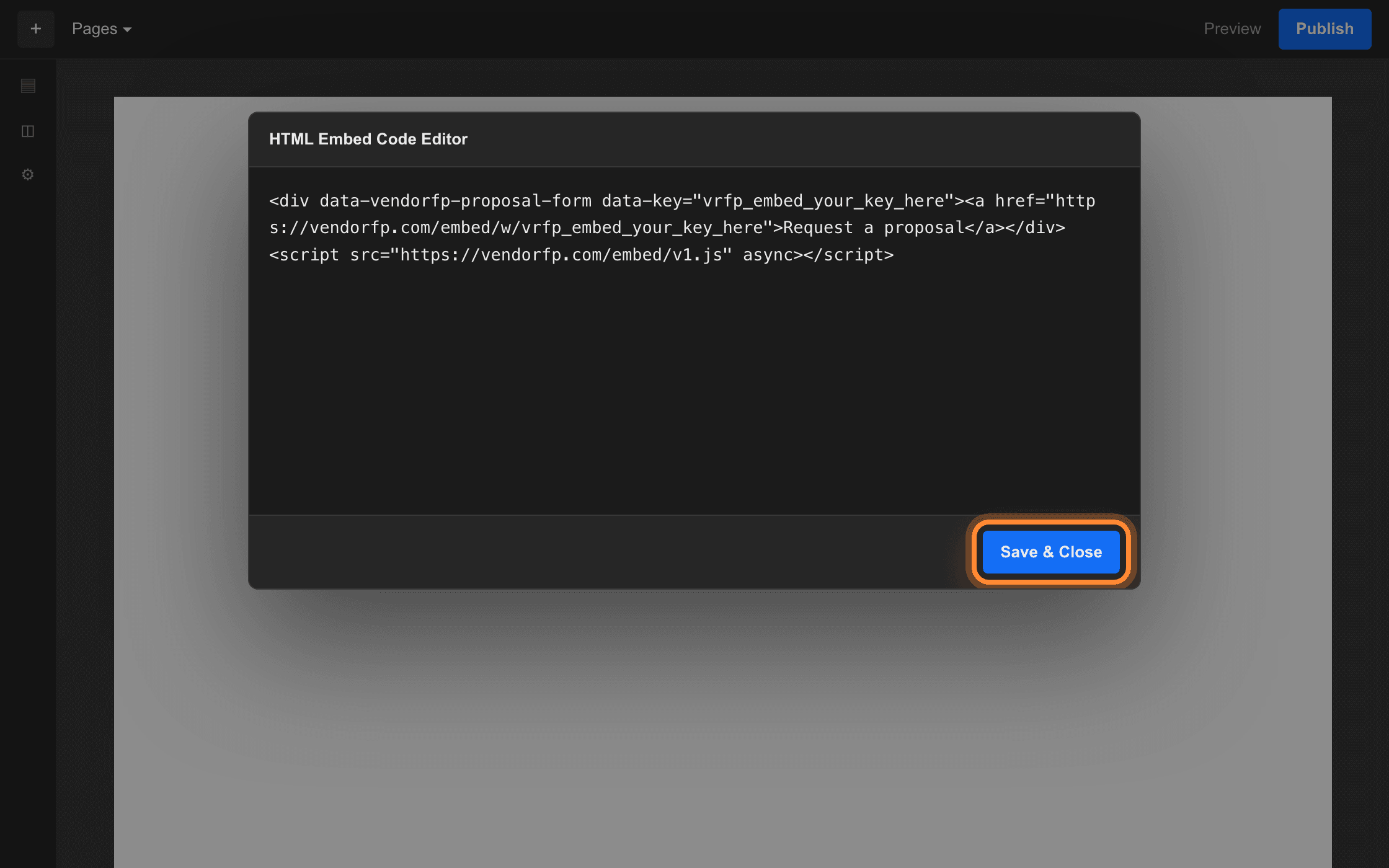
Save and Close is the bottom right of the code editor. Publish
Press Publish and choose the domains to publish to. The form appears on the published site.
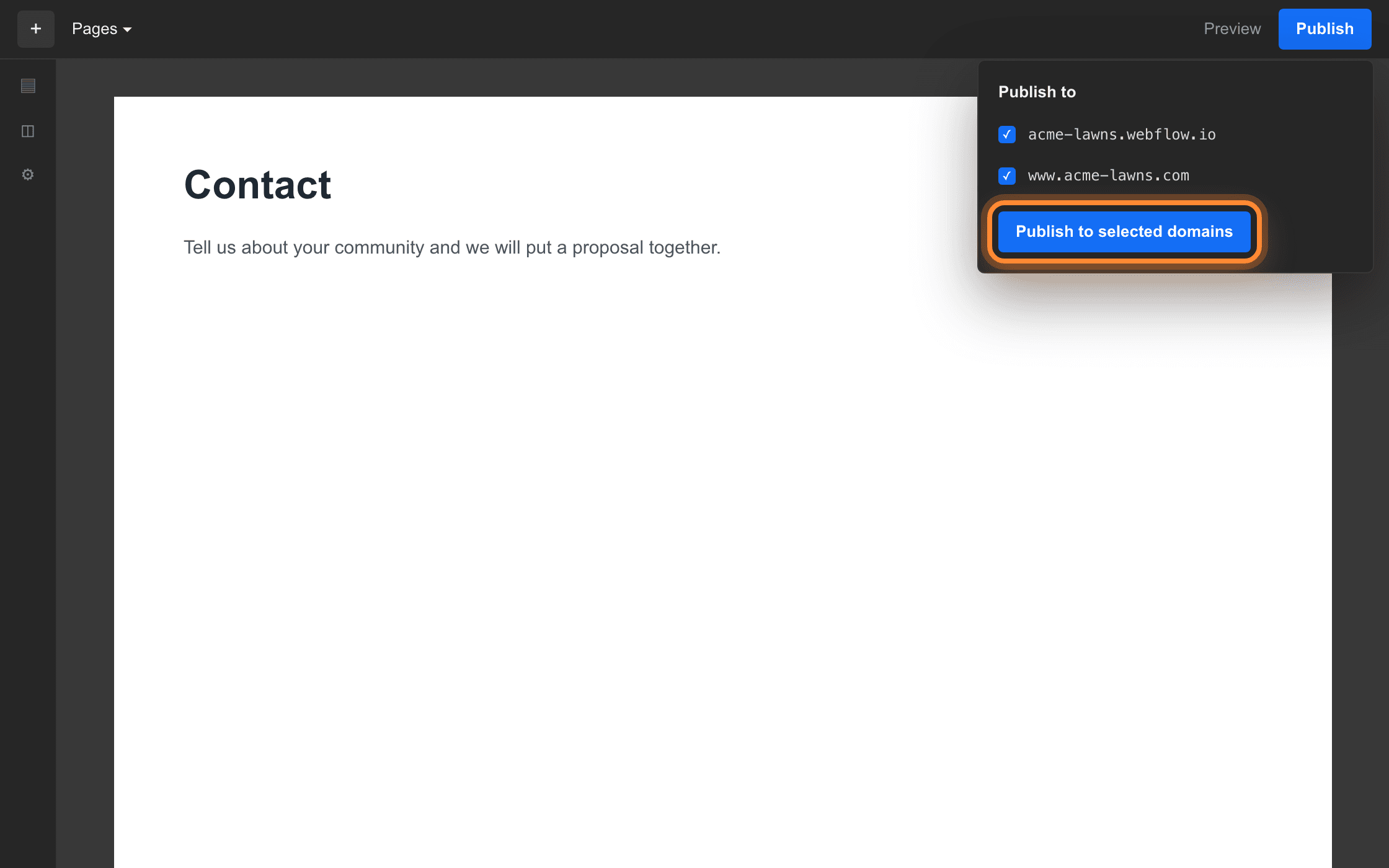
Both addresses are listed here, and each is a separate address to register.

Register your staging address too
Every Webflow project also answers at an address ending in webflow.io, and that is where most people look first after publishing. It is a different web address from your real domain, so a form that draws on acme-lawns.com shows the fallback button, not the form, on acme-lawns.webflow.io unless you have listed both. Add your webflow.io address on the plugin page while you are building, and take it off once the site is live if you would rather keep the list short. Removing it takes effect on the next page load and does not touch anything on the site itself.
Link to the hosted form instead
Every key also has a plain web address that opens the same form as a full page. It needs no plan, no code block and no addresses registered. In Webflow that is any Link Block or Button with its link type set to URL. No Embed element and no publish-and-check cycle.
A Custom Liquid section in the theme customizer. You never open the code editor and you never edit a theme file.
Open the theme customizer
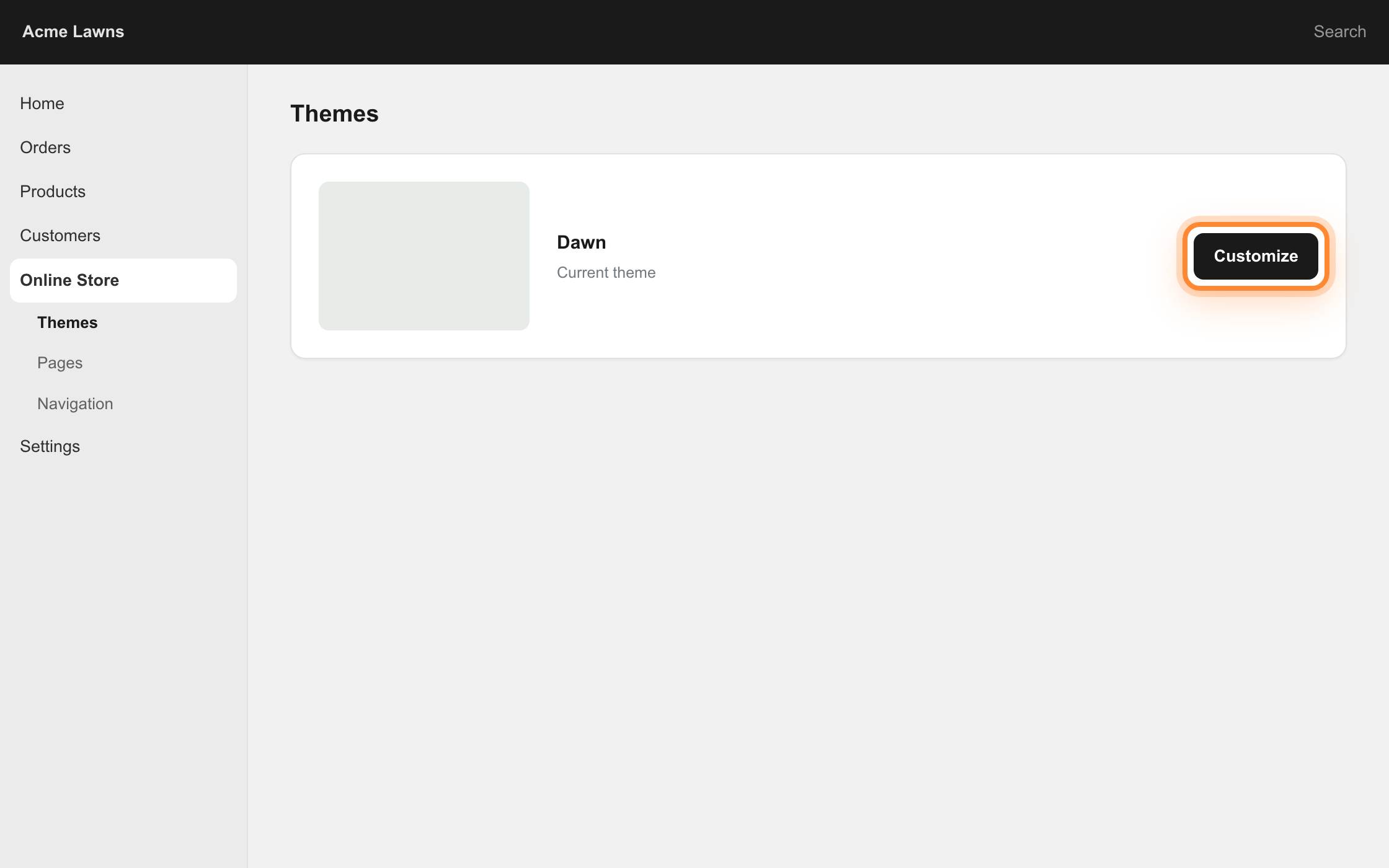
In your Shopify admin, go to Online Store, then Themes, and press Customize on your live theme.
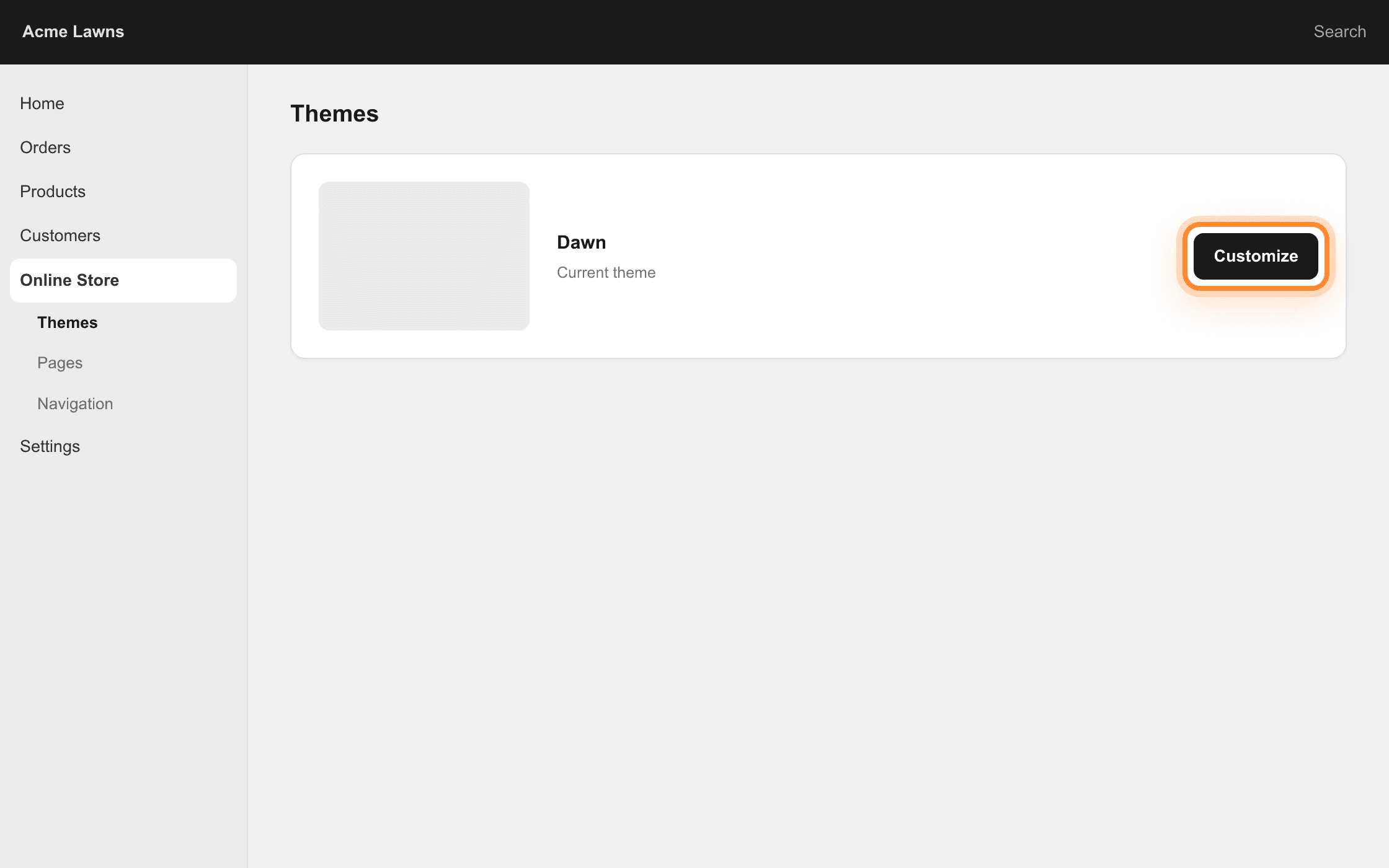
Customize is on the card for your current theme, at its right-hand end. Switch to the page you want
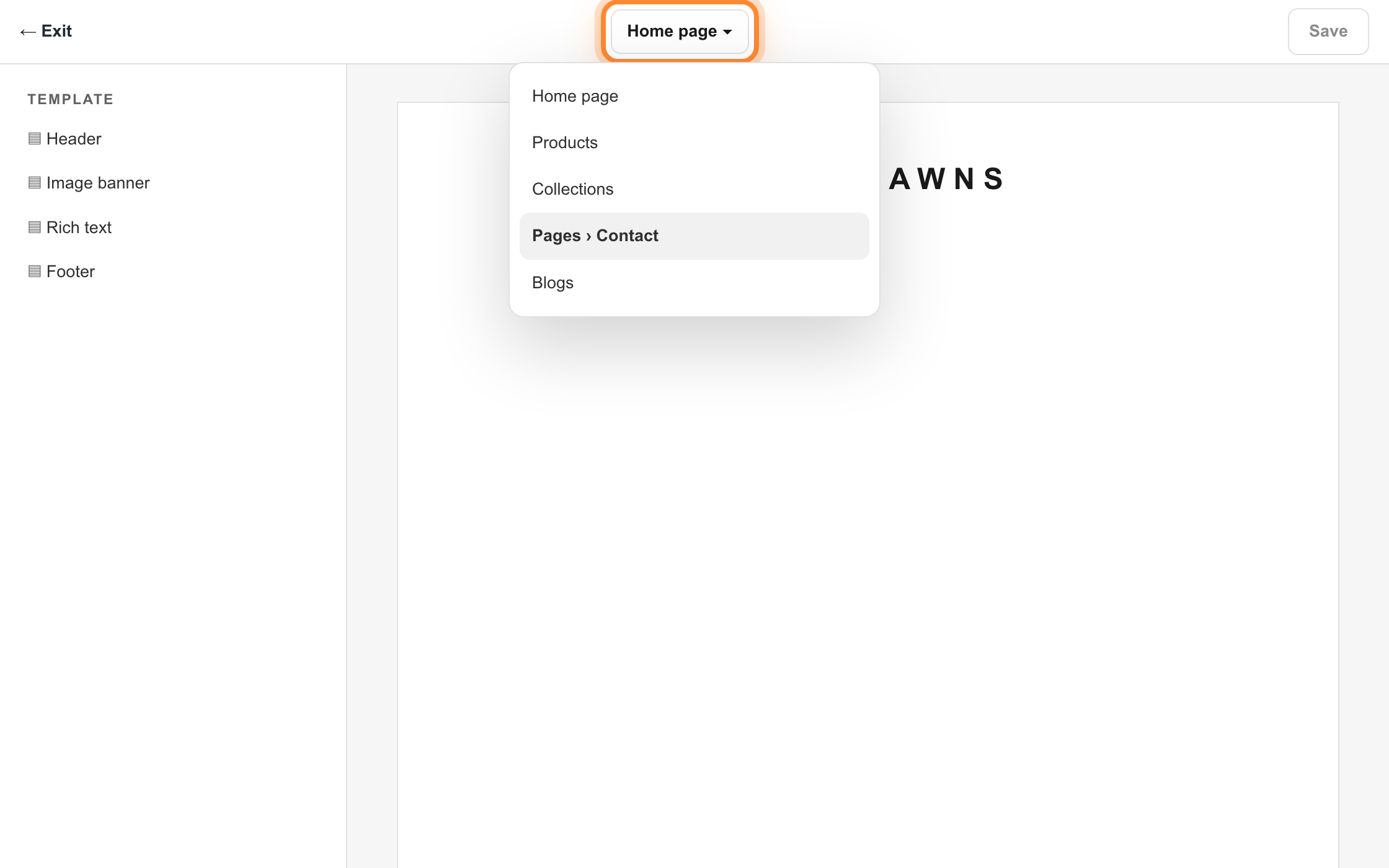
Use the page selector along the top to move off the home page and onto the page the form belongs on, such as a Contact or Services page, usually under Pages.
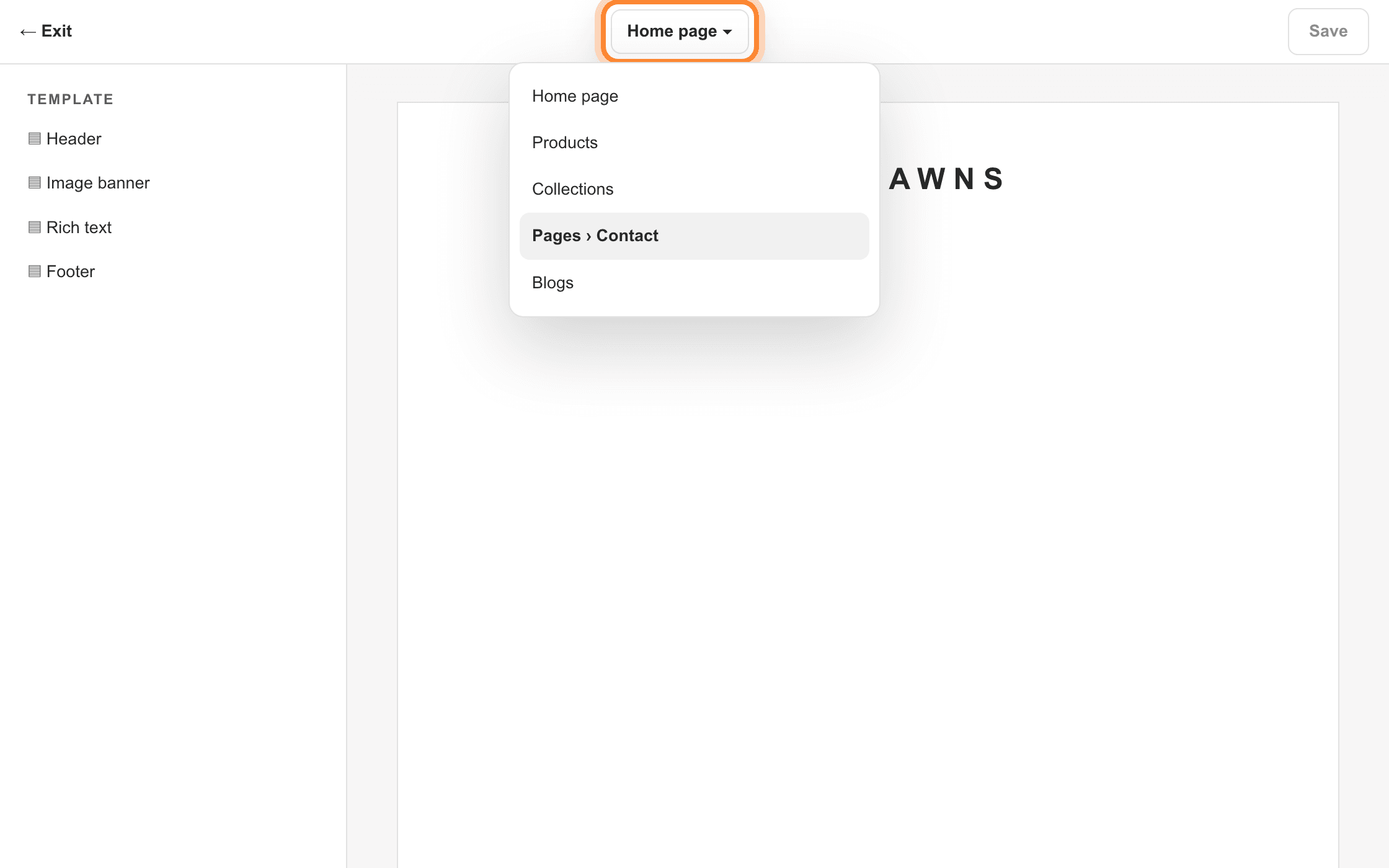
The selector is the middle of the top bar. It opens on Home page every time. Add the section
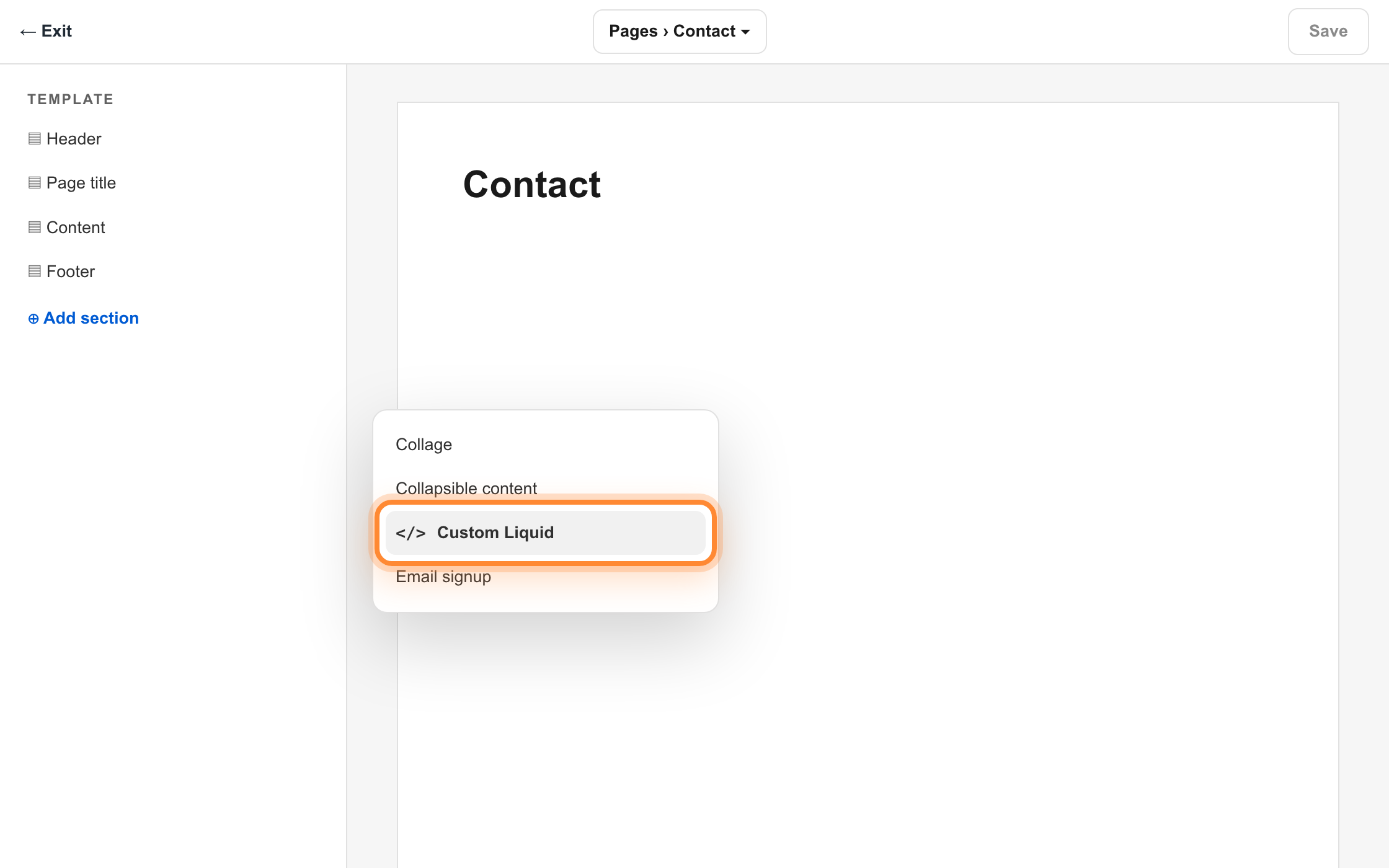
In the left panel press Add section and choose Custom Liquid. It appears at the bottom of the page. Drag it up the list to where you want it.
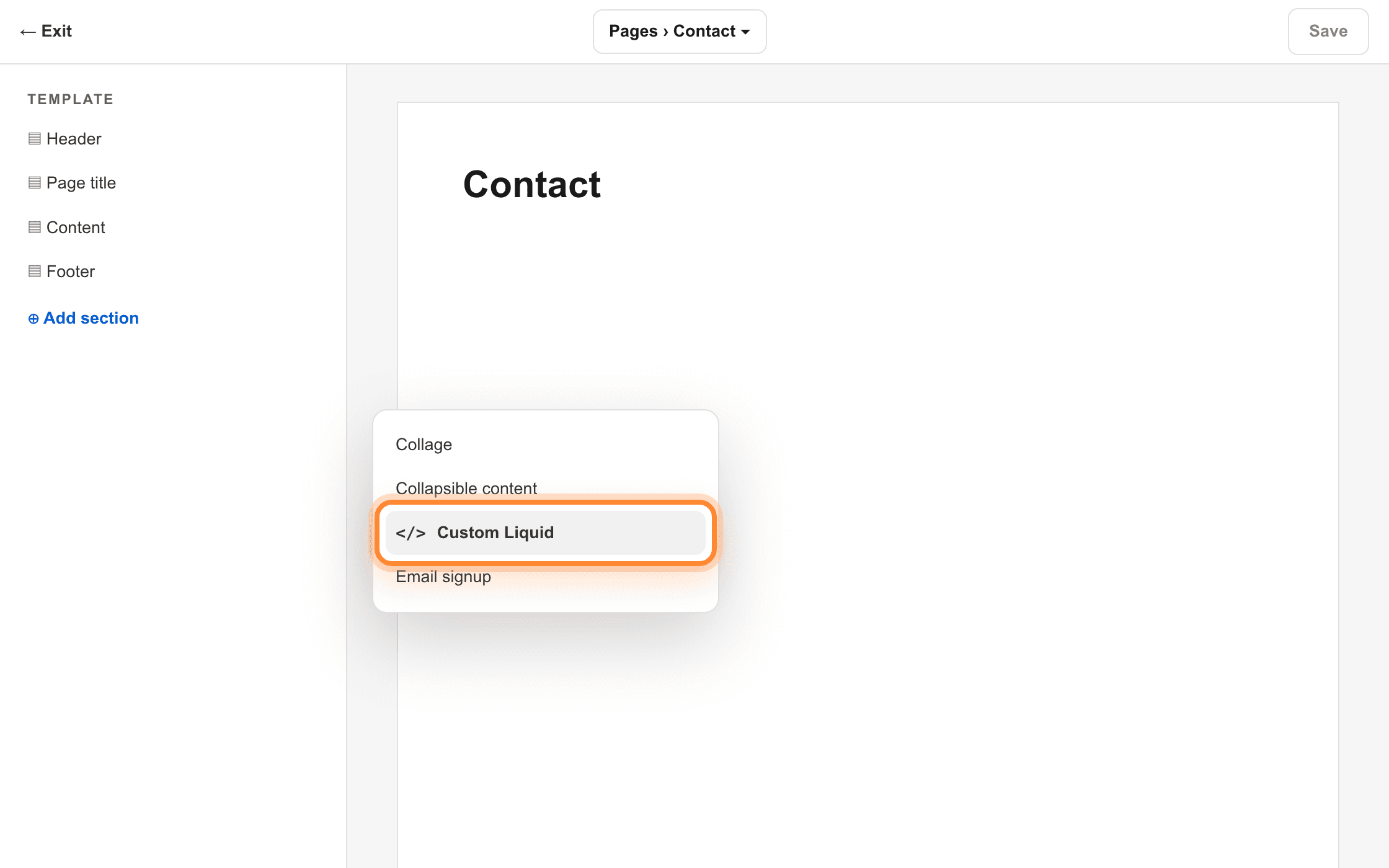
Add section is under the section list on the left. The choices are alphabetical. Paste and save
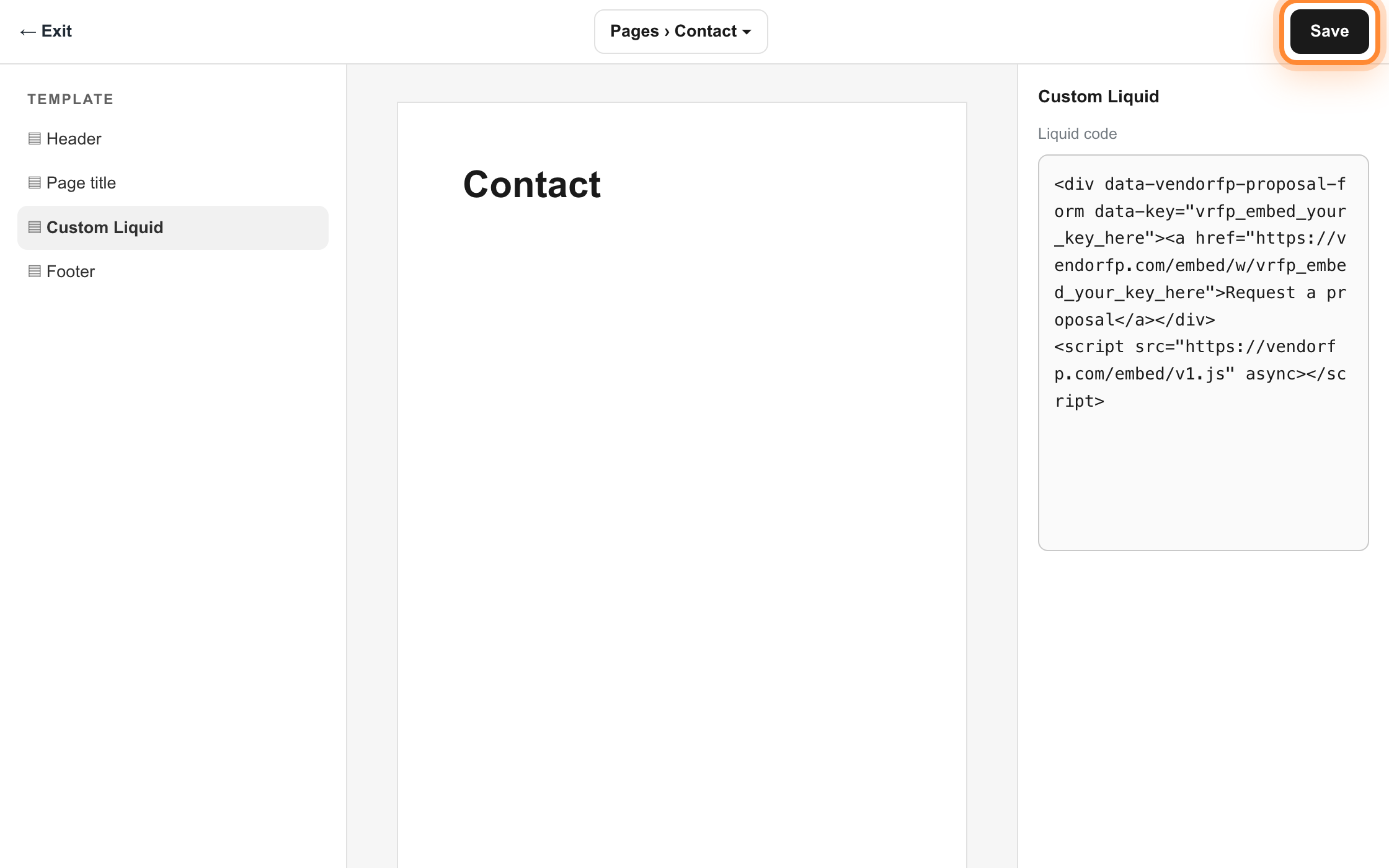
Paste the snippet into the Liquid code box on the right and press Save. The customizer preview may or may not render it. The live page is the one that counts.
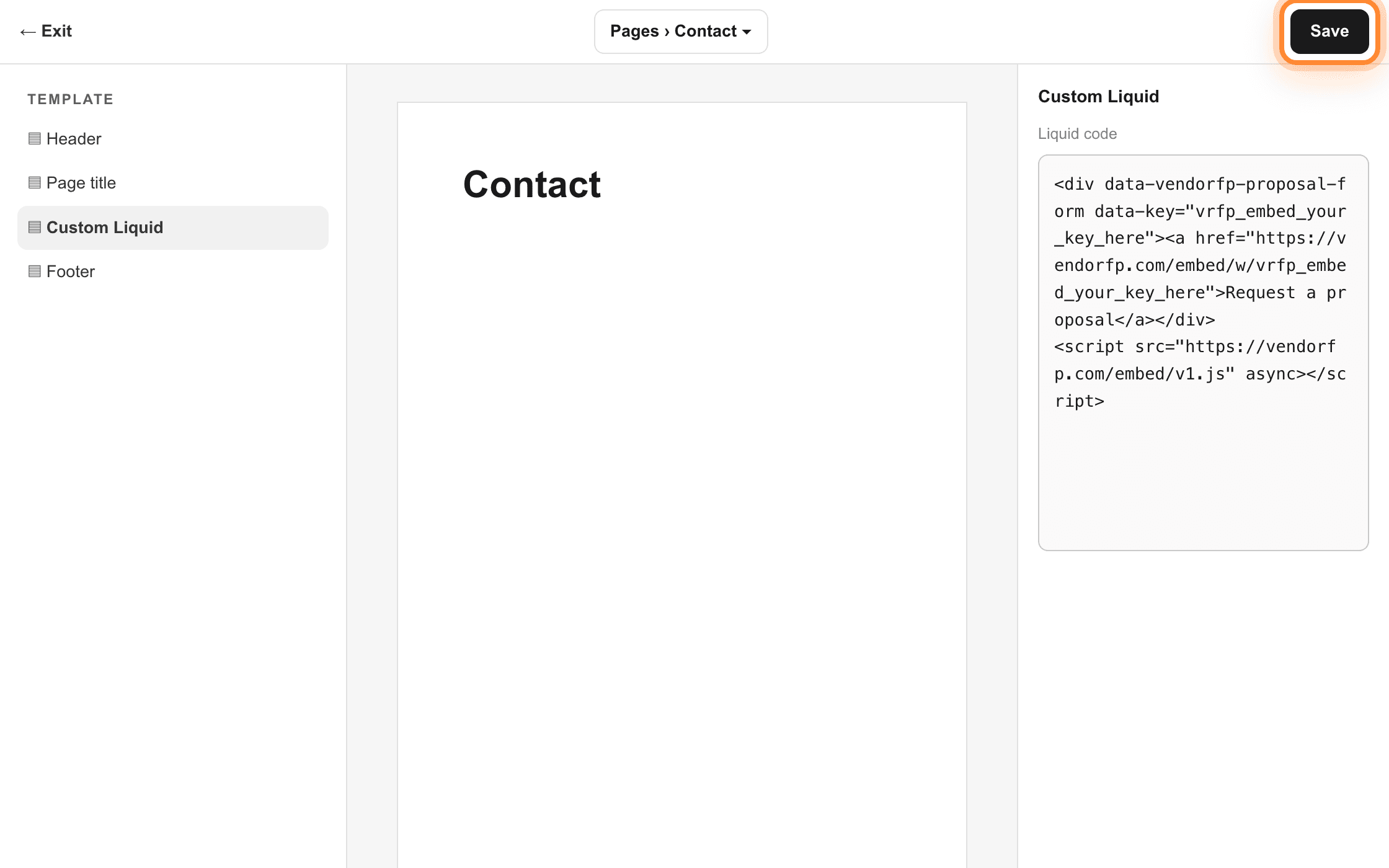
The code box is in the right-hand panel. Save is the top right of the customizer.
Which address to register
Every Shopify store has two addresses: the domain you sell under, and a built-in one ending in myshopify.com. Shopify’s own preview links use the built-in one, so a form that works on your real domain shows nothing in a preview unless you have listed both. List your selling domain, with and without www if both work. Add the myshopify.com address while you are setting things up if you want previews to work, and remove it afterwards if you would rather keep the list short.
Link to the hosted form instead
Every key also has a plain web address that opens the same form as a full page. It needs no plan, no code block and no addresses registered. In Shopify that is an ordinary link in any page’s rich-text editor, or a button in a section that offers one.
Two lines anywhere inside the body, in the place you want the form to appear. Nothing goes in the head and there is nothing to install.
<div data-vendorfp-proposal-form data-key="vrfp_embed_your_key_here"><a href="https://hoacrew.com/embed/w/vrfp_embed_your_key_here">Request a proposal</a></div>
<script src="https://hoacrew.com/embed/v1.js" async></script>
The div is where the form appears. The script puts it there. Both belong inside the body, and the div has to come first in the document. Beyond that the placement is yours. The form fills the width of whatever contains it and asks for the height it needs.
For a form in two places, repeat the div and put the same key on both. Your company has one install key and both forms use it. The two mount independently, and each can carry different options. The script stays on the page once however many divs there are.
A complete worked example
Save this as a file, put your key in it, and put it on your web server. It works as shown, the whole page, so there is nothing left to infer.
<!doctype html>
<html lang="en">
  <head>
    <meta charset="utf-8">
    <meta name="viewport" content="width=device-width, initial-scale=1">
    <title>Contact | Acme Lawns</title>
  </head>
  <body>
    <h1>Ask us for a proposal</h1>
    <p>Tell us about your community and we will put a proposal together.</p>
    <div data-vendorfp-proposal-form data-key="vrfp_embed_your_key_here"><a href="https://hoacrew.com/embed/w/vrfp_embed_your_key_here">Request a proposal</a></div>
    <script src="https://hoacrew.com/embed/v1.js" async></script>
  </body>
</html>
Loading order and pages built after load
The script is marked async and does nothing until the document is ready, so it never holds up your page. When it runs it looks for every element carrying data-vendorfp-proposal-form and puts a frame inside each one. Part of your page may appear later, in a tab, a modal, or anything drawn by your own code after the document loaded. The script has already finished looking by then. Call this once the new element is in the document and it picks it up. It is safe to call as often as you like, because a mount point that already has a form is skipped.
if (window.VendoRFPEmbed) window.VendoRFPEmbed.mount();Testing on your own machine works. Register the address your local server answers on, such as localhost:3000, and the form appears there like anywhere else. Open the page over http or https from a web server, not as a file path off your desktop. A page opened from disk has no web address for us to check against your list, and the form will not show.
<meta http-equiv="Content-Security-Policy"
      content="script-src 'self' https://hoacrew.com; frame-src https://hoacrew.com">
If you use nonces or hashes for scripts, our loader is an ordinary external script and needs neither. A host allowance is enough. The snippet carries no inline JavaScript and no inline style on purpose, so you never need unsafe-inline for it.
A script tag written in JSX is put into the page and never executed, so the HTML snippet leaves you with an empty div and nothing in the browser’s Console tab. These are the two versions that work.
Why the HTML snippet does not work here
React builds the DOM itself instead of parsing your markup as HTML, and a script element created that way is never executed by the browser. That is a rule of the platform, not a React bug, and it fails quietly: the tag is in the page when you inspect it, nothing is logged, and the div stays empty. So the script has to be added by code, either your own or the framework’s. Both versions mount exactly the same form.
The component
This works in any React app, with or without a framework. Save it, put your key in it, and render it where you want the form.
'use client';
import { useEffect, useRef } from 'react';

export function ProposalRequestForm() {
  const mounted = useRef(false);
  useEffect(() => {
    if (mounted.current) return;
    mounted.current = true;
    const s = document.createElement('script');
    s.src = 'https://hoacrew.com/embed/v1.js';
    s.async = true;
    document.body.appendChild(s);
  }, []);
  return (
    <>
      <div
        data-vendorfp-proposal-form
        data-key="vrfp_embed_your_key_here"
      >
        {/* Plain HTML, so it is there if the loader is blocked or scripting
            is off. The loader empties this div before it inserts the form. */}
        <a href="https://hoacrew.com/embed/w/vrfp_embed_your_key_here">Request a proposal</a>
      </div>
    </>
  );
}
The useRef guard is doing real work. React’s StrictMode runs effects twice in development, and without it you get two copies of the loader on the page. The same guard covers a component that unmounts and remounts. The attribute is written bare in JSX, which React renders as the same attribute the loader looks for, so nothing else has to change.
Next.js with next/script
Inside Next.js this is the tidier version. The framework keeps one copy of the tag however many times the component renders, and loads it after the page is interactive.
'use client';
import Script from 'next/script';

export function ProposalRequestForm() {
  return (
    <>
      <div data-vendorfp-proposal-form data-key="vrfp_embed_your_key_here">
        {/* Plain HTML, so it is there if the loader is blocked. */}
        <a href="https://hoacrew.com/embed/w/vrfp_embed_your_key_here">Request a proposal</a>
      </div>
      <Script src="https://hoacrew.com/embed/v1.js" strategy="afterInteractive" />
    </>
  );
}
The use client line is required, because the form is a browser thing and a server component cannot mount it. Everything else is ordinary: drop the component into any page.
Route changes, tabs and modals
The loader looks for mount points once, when it runs. A client-side route change, a tab panel or a modal arrives too late for that pass. Ask it to look again. usePathname is the Next.js App Router hook. On a plain React app with React Router, useLocation gives you the same string. Either way the effect only needs a value that changes when the route does. The next/script version usually needs none of this, because the tag mounts with the component.
'use client';
import { useEffect } from 'react';
import { usePathname } from 'next/navigation';

export function ProposalRequestMount() {
  const pathname = usePathname();
  useEffect(() => {
    window.VendoRFPEmbed?.mount();
  }, [pathname]);
  return null;
}
window.VendoRFPEmbed and window.gtag are globals TypeScript has never heard of, so in a tsx file both are a compile error until you declare them. Once, anywhere in your project:
// types/vendorfp.d.ts, or anywhere in your project's type scope
declare global {
  interface Window {
    VendoRFPEmbed?: { mount: () => void; version: number };
    gtag?: (...args: unknown[]) => void;
  }
}
export {};
The conversion event in React
The same listener as the one in the options section goes in an effect, with its cleanup. It needs the Window declaration above too. gtag is a global your analytics tag defines at runtime and TypeScript cannot see. Swap it for whatever your own tracking uses.
'use client';
import { useEffect } from 'react';

export function ProposalRequestTracking() {
  useEffect(() => {
    function onSent() {
      window.gtag?.('event', 'generate_lead');
    }
    document.addEventListener('vendorfp:proposal-request-sent', onSent);
    return () => document.removeEventListener('vendorfp:proposal-request-sent', onSent);
  }, []);
  return null;
}
Register your development address on the plugin page. localhost:3000 is understood and stored as an http address, because that is what a dev server serves. Remember to register your production and preview addresses before you deploy. A preview deployment on a different address is a different address, and the form will not appear on it until it is on the list.
// next.config.mjs
async headers() {
  return [
    {
      source: '/:path*',
      headers: [
        {
          key: 'Content-Security-Policy',
          value: "script-src 'self' https://hoacrew.com; frame-src https://hoacrew.com",
        },
      ],
    },
  ];
}
If you generate a nonce per request, our loader does not need one. It is an ordinary external script and a host allowance covers it. The snippet contains no inline JavaScript and no inline style, so it never asks you for unsafe-inline.
On something else? The plain HTML tab has a complete worked example, and every platform that lets you paste a block of HTML behaves the same way.
Register every address your site answers on.
The list of addresses is how a browser decides where your form may appear, and it matches exactly.
https://acme-lawns.com
https://www.acme-lawns.com
http://acme-lawns.com
http://www.acme-lawns.com
A browser treats these as four different places. Most sites answer on two of them and redirect the other two. Whichever ones a visitor can end up on need to be on your list. Adding one on the plugin page offers you its companion for exactly this reason. Take the offer.
| Platform | Address to register as well | Why |
|---|---|---|
| WordPress | Both spellings of your domain | Most WordPress sites answer on the bare name and on www. |
| Squarespace | The squarespace.com trial address | A site on a trial answers at an address like oak-hollow-lawns.squarespace.com. Remove it once you are live. |
| Wix | None for the button | A button opens the form as its own page, so nothing needs registering. |
| Webflow | The webflow.io address | Every project also answers at a webflow.io address, and that is where people look first after publishing. |
| Shopify | The myshopify.com address | Shopify previews use the built-in address. Add it while you set up and remove it after. |
| Plain HTML | Your local server | localhost:3000 or whichever address your test server answers on. |
| React or Next.js | Development and preview addresses | A preview deployment on a different address is a different address. |
A staging or preview address
Webflow sites also answer at webflow.io, Shopify stores at myshopify.com, Squarespace trials at squarespace.com. Testing there means registering there.
A second domain
A company that owns both a .com and a .net, or a separate landing page domain, needs each one listed.
A page opened from your desktop
A file opened directly rather than served by a web server has no address for us to check against anything, so the form will not appear. Put the page on a server, even a local one, and register the address it answers on.
If your site has a security policy.
Most websites have no Content-Security-Policy and this section does not apply to them.
If yours has one, because a security plugin added it, your host sets it, or whoever built the site wrote one, it needs to allow two things from us.
script-src  https://hoacrew.com
frame-src   https://hoacrew.com
The first lets the loader script run. The second lets the form’s frame render. Allow the first and forget the second and you get a blank space where the form should be, with a line in the browser’s Console tab naming frame-src. Nothing else is needed. The form loads no fonts, no analytics and no other company’s code, so there is no third allowance hiding behind these two.
| Platform | Where it comes from | What to do |
|---|---|---|
| WordPress | Almost always a security plugin. Wordfence, iThemes Security and Really Simple SSL all offer to add one. | Find the plugin’s headers or Content-Security-Policy screen and add the two allowances there. If you cannot find where it is set, turn the plugin’s header feature off for a moment and reload the page. If the form appears, that plugin is the place to add them. |
| Squarespace | Squarespace gives you no place to write one. | Nothing, unless your domain sits behind a rule you added yourself, such as Cloudflare, that adds headers on the way out. |
| Wix | Wix gives you no place to write one. | Nothing. The button route needs no allowances, because nothing of ours loads on your page. |
| Webflow | Webflow gives you no place to set one. | Nothing, unless your domain is behind something you added yourself, typically a Cloudflare rule that adds headers as pages leave. |
| Shopify | Usually an app. Security and headers apps are the common source. | Add the two allowances to the app that set the policy. Turning that app off for a moment confirms it is the one responsible. |
| Plain HTML | An nginx or Apache header, a line in your framework’s config, or a meta tag in the head. | Add the two allowances to whichever it is. The HTML tab has the same policy as a meta tag. |
| React or Next.js | A headers entry in your config or a line in your middleware. | Add the two allowances. The React tab has the next.config.mjs version. |
How to tell it worked.
Three checks, and a table of what each platform’s editor shows you in the meantime.
Open the live page in a normal tab
Use the real site, not the editor and not a builder preview.
Send yourself a test
The form is there with your company’s name on it. Take more than 4 seconds over it, because a submission completed unusually fast is placed under suspected spam.
Look in your dashboard
Open Settings, then Website plugin. Your test is in the list.
| Platform | In the editor | Where to check |
|---|---|---|
| WordPress | The block editor shows the raw code. Page builders usually preview without running scripts. | The live page, in a normal browser tab. Use View page source and search for proposal-form if nothing appears. |
| Squarespace | A grey placeholder where the Code block is. | The live site in a normal tab, signed out of Squarespace if you can. |
| Wix | The editor preview does not show the form. | Your published site. Press the button. |
| Webflow | A placeholder block. The Designer does not run embedded code. | The published page, not the Designer preview. |
| Shopify | The customizer preview may or may not render it. | The live page on your selling domain. |
| Plain HTML | Not applicable. | The page served over http or https, never opened from disk. |
| React or Next.js | Not applicable. | Your running app, with its address on the list. |
Link to the hosted form instead.
Every key also has a plain web address that opens the same form as a full page.
Put it behind a button, in an email signature, on a Google Business profile, or on a page you cannot add code to. It needs no plan, no code block and no addresses registered, because the list of allowed addresses governs where the form may be shown inside another page, and a link opens it as its own.
https://hoacrew.com/embed/w/vrfp_embed_your_key_hereRequests from it arrive in your dashboard exactly like the ones from the embedded version. It is also what a visitor is shown automatically if the embedded form cannot load for any reason, so nobody is ever left looking at a blank space.
| Platform | How to add it |
|---|---|
| WordPress | An ordinary link or button in any block. It needs no plugin, no code block and no particular level of login. |
| Squarespace | A Button block with an External link, set to open in a new window. Works on every plan. |
| Wix | A button with a Web address link. This is the route we recommend on Wix. |
| Webflow | A Link Block or Button with its link type set to URL. |
| Shopify | A link in the rich-text editor of any page, or a button in a section that offers one. |
| Plain HTML | An anchor tag with the hosted address as its href. |
| React or Next.js | An anchor or a Link component with the hosted address. |
Options.
Everything is set with an attribute on the div. All of them are optional, and the form works with none of them.
| Attribute | What it does |
|---|---|
| data-key | Required. Your key from the dashboard. Everything else follows from it. |
| data-heading | The line above the form. Defaults to Request a proposal. |
| data-service | Preselects the service. Put the plugin on your pool page with this set to Pool cleaning and the visitor has one less thing to fill in. Use any wording you like. It is shown as you type it. |
| data-theme | light or dark. Leave it off and the form matches the page it sits on. |
| data-accent | A hex color for the send button, so it matches your site. Anything that is not a hex color is ignored rather than put into the page. |
<div data-vendorfp-proposal-form data-key="vrfp_embed_your_key_here" data-service="Landscaping" data-heading="Get a proposal for your community" data-theme="light" data-accent="#1f7a4d"><a href="https://hoacrew.com/embed/w/vrfp_embed_your_key_here?service=Landscaping&heading=Get%20a%20proposal%20for%20your%20community&accent=%231f7a4d">Get a proposal for your community</a></div>
<script src="https://hoacrew.com/embed/v1.js" async></script>Track it in your own analytics.
When a request is sent, the element fires an event you can listen for.
It is a bubbling vendorfp:proposal-request-sent event. It carries no visitor data at all, not a name and not an email, just the fact that a request went through, so adding a conversion tag never turns your tag manager into a holder of somebody else’s contact details.
document.addEventListener('vendorfp:proposal-request-sent', function () {
  // your own conversion tracking here
  if (window.gtag) window.gtag('event', 'generate_lead');
});
In React or Next.js the same listener goes in an effect. The React tab has it written out with the cleanup.
What a visitor sees.
On arrival
A form with their name, email, phone, community name, property address, what they need, and a message box. Only the name and one way to reach them are required.
While sending
The button reads Sending and cannot be pressed twice.
On success
The form is replaced by a short confirmation naming your company. Nothing redirects and nothing pops up.
If they miss a field
One sentence saying which one, above the form, with everything they typed still in the boxes.
If the page has been open a long time
After 30 minutes the form asks them to reload before sending. Their text stays in the boxes while they do.
If their connection drops
One sentence, and the button comes back so they can try again.
Security and privacy.
The short version, and then the page to forward to whoever asks for the long one.
Your key is public, and that is fine
It ships in your page’s HTML, and it can do exactly one thing: create a proposal request for your company. It reads nothing back.
Only your addresses can display it
Every time the form loads, we tell the browser which addresses may show it, and the browser enforces that. A site that is not on your list never receives the form. Its visitors get a button to your hosted form instead, and anything they send from it still arrives addressed to you.
The form is not in your page
It sits in a frame on our side of a boundary the browser enforces, so the other scripts on your page cannot read what a visitor types. Analytics, chat and a plugin from 2019 alike. Our frame cannot read your page either.
Automated submissions are kept
Two checks run, and neither needs a puzzle from your visitors. Anything that trips one is recorded under Filtered as spam, where one press moves it back. A real customer is worth more than a clean inbox.
What is recorded
What they typed, which of your addresses they were on, and the time. Their IP address is not stored. A one-way fingerprint of it is stored instead. No cookies and no tracking.
No email is sent
Not to you and not to the visitor. The request appears in your dashboard, which cannot bounce and needs nobody’s mail server to be working.
If it is not showing up.
One cause accounts for most of these and it produces no error message anywhere. Two minutes will tell you whether it is yours.
The two-minute check
Copy the address out of your browser bar
Open the page with the missing form and copy the whole address from the bar at the top of the browser, exactly as it appears. That includes https and includes www if it is there.
Open the plugin page in your dashboard
Go to Settings, then Website plugin, and look at the list of addresses on your key.
Compare them character by character
The address you copied has to be on that list, spelled the same way. Not a version of it, and not the domain it belongs to. If it is missing, add it and reload the page. The fix takes effect immediately and you do not touch your website again.
The other causes
If the address was already on the list, spelled exactly as you copied it, and nothing is in that panel, work down this list.
You see a Request a proposal button instead of the form
That is the fallback, and it is deliberate. The frame did not load, so rather than leave a hole in your page the loader puts a working button there instead. Nobody is stranded while you fix it. The cause is nearly always the address.
Nothing appears at all, not even a button
The button lives in the snippet itself as plain HTML, so if even that is missing the snippet is not on the page. Look at the page’s source and search it for proposal-form. If it is not there, your website builder removed the code when you saved. Some builders and some WordPress logins strip script tags. Ask whoever administers the site, or use the hosted link instead.
The key has been turned off
A revoked key stops working everywhere on the next request, by design. Check the plugin page. If there is no live key, issue one and repaste the snippet, because a new key is a new string.
The key in the page is not the key on the plugin page
A snippet pasted from an older note, or a key truncated by a builder’s text box, both look fine and both fail. Copy it again from the dashboard rather than from anywhere else.
Your site has a security policy
If something on your site sets a Content-Security-Policy, it has to allow our address in both its script and its frame lists. The security policy section above has the two allowances, and the browser’s Console tab names which one is missing.
A builder that runs code inside its own frame
Wix is the one this affects. Its embed box puts your code on a Wix address rather than yours, so the address being checked is not the one you registered. The Wix tab has the working route.
The form is there but cut off at the bottom
The form measures itself and asks for the height it needs, which works everywhere except inside a builder that locks its embed to a fixed height. Drag the embed box taller.
An ad blocker or a privacy extension
Try the page in a private window with extensions off. If it appears there, the extension is blocking the frame for you and not for your visitors. That is worth knowing before you change anything else.
Reading the browser’s Console tab
Right-click the page, choose Inspect, and open the Console tab. Three messages there are worth recognizing, and each names its own fix.
| The message | What it means | The fix |
|---|---|---|
| A data-vendorfp-proposal-form element has no data-key attribute | The div is on the page but the key is missing from it. | Repaste the snippet from your dashboard. The key is part of it. |
| A message about frame-ancestors | The browser refused to display our form on this address. | That is the address list. Run the two-minute check above. |
| A message about script-src or frame-src naming your own site | Your site’s own security policy is blocking us. | Add the two allowances from the security policy section. |
A test that sent but did not arrive
The form said it went through and your dashboard shows nothing. Look under Filtered as spam on the plugin page first.
A submission completed in under 4 seconds lands under Filtered as spam on the plugin page, and a test typed by somebody who already knows what every box says can complete it faster than that. That is the check doing its job, not a fault. One press moves it back, and nothing was ever discarded. A request that trips a check is still written, still yours, and still answerable.
Changing it or turning it off.
Adding or removing an address takes effect on the next page load. You do not touch your website again. Changing the heading, the color or the preselected service means copying the snippet again, because those live in the snippet.
Turning the key off stops the form appearing anywhere, immediately. Every request it collected stays in your dashboard. Those are your customers, and burning a key never takes them with it. Issuing a new key is the only capped action: 10 live keys of its own is as many as a company holds at once, and revoking one opens a slot for another.
Your key and your addresses live on one page.
Issue the key, list the addresses your form may appear on, and copy the snippet. The requests it collects stay in your dashboard whatever you later do to the key.